
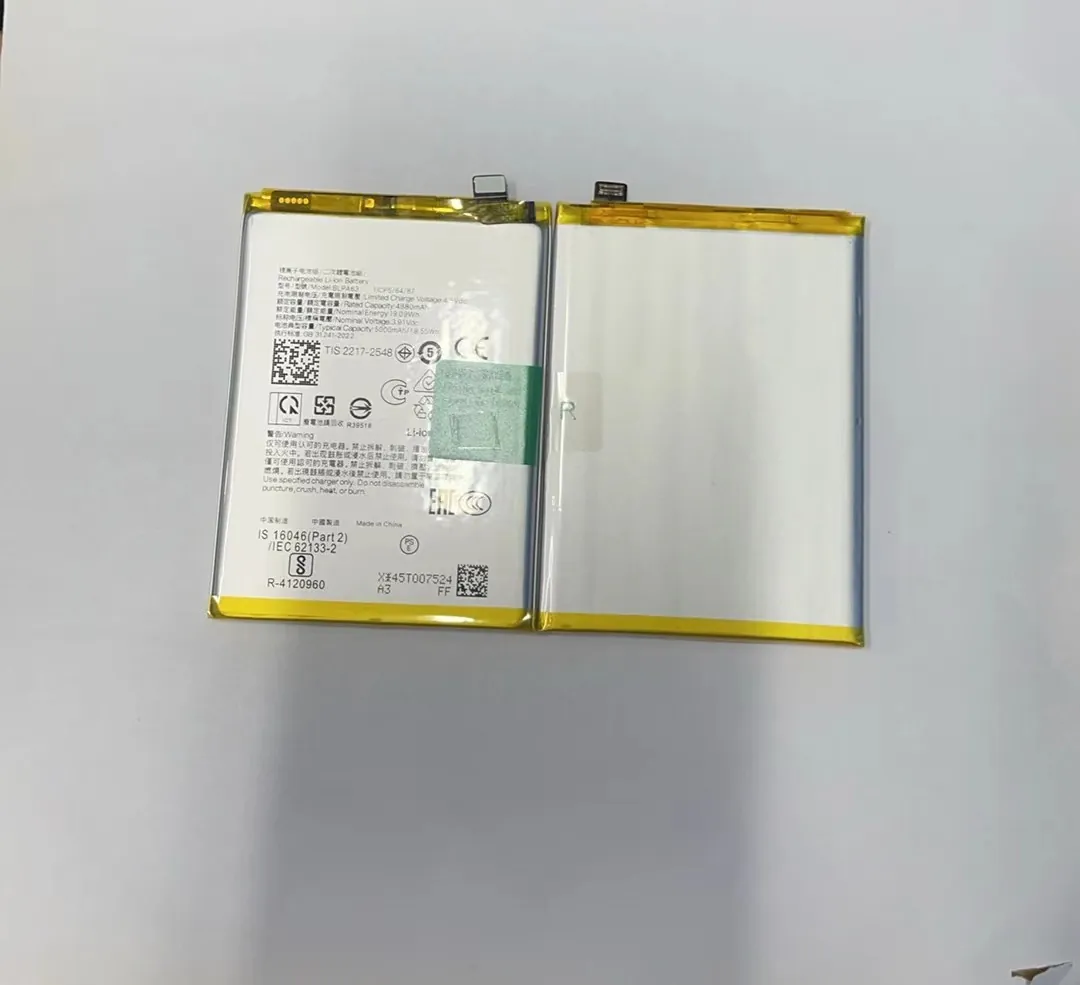
I talk with many repair clients, and I see the same worry again and again. Their phones drain fast, heat up, or shut down early. They feel stuck because they think batteries cannot be replaced. This fear grows when the phone is expensive or holds important data.
You can replace most mobile phone batteries, but the process depends on the phone design, the battery health signs, and the tools you use. Some phones allow easy swaps, while sealed models need trained hands and safe steps.
I want to share what I learned in years of working with repair partners, wholesalers, and refurbishers. I want you to read this from start to end so you can make smart choices before something goes wrong.
What signs show replacement need?
I meet many users who think slow phones come from software, but the battery is often the hidden reason behind all these issues. Many people wait too long and then face sudden shutdowns or swollen cases that cause more damage.
A phone needs a battery replacement when it drains fast, heats under simple tasks, shuts down early, or shows swelling or error warnings. These signs show the battery cannot hold power safely or consistently.

I deal with these problems almost every week, and I learn that users miss the early signs. I want to break down these symptoms in a simple way so you can act before the problem gets worse.
Early Indicators You Should Not Ignore
Many users come to me only when their phones become almost unusable. I want you to see the pattern before that point. Below is a simple table that covers the most common early symptoms and what they usually mean.
| Symptom | What It Often Means |
|---|---|
| Fast power drop | Battery capacity is decreasing |
| Random shutdowns | Voltage cannot stay stable |
| Heat during light use | Chemical wear inside battery |
| Sudden big jumps in % | Faulty calibration or cell damage |
| Swollen back cover | Battery expansion and safety risk |
Why These Signs Matter
When I see a phone with early battery wear, I know things can still be controlled. But when the battery swells or leaks, the damage grows fast. A swollen battery can push the screen upward, crack the frame, or even bend the internal board.
This is why early action saves money. It also protects your data. Many people lose their photos and messages because their phones die during system updates caused by weak batteries.
How Phone Brands Show Warnings
Some brands now show health percentages. But you should know these numbers are not perfect. I see phones that show 85% battery health but behave like they are at 60%. Numbers do not always tell the full story.
This is why I always listen to the practical symptoms first. If your phone changes its behavior, the battery is the first place to check.
How do replaceable models differ?
Many clients think all phones used to have removable batteries, but that is not true. The designs changed over time to make phones thin, strong, and water-resistant. But this also changed the way batteries are replaced.
Replaceable battery models allow easy swaps without tools, while sealed models hide the battery inside with glue and plates. Replaceable phones are simple and fast to repair, but sealed phones require skill, heat, and careful steps.

I worked with many versions of phones over the years, and I see how these designs affect the repair process, safety, and long-term cost. Let me break it down in a clear way.
The Two Main Types of Designs
Below is a simple table I use when teaching new repair staff. It helps them understand the difference between the two build types.
| Type of Phone | Features | Replacement Difficulty |
|---|---|---|
| Replaceable battery phones | Back cover opens by hand | Very easy |
| Sealed battery phones | Glue, screws, heat needed | Medium to high |
Why Replaceable Models Became Rare
Brands moved to sealed designs mostly because users wanted slim phones with large screens and water protection. I saw this trend grow quickly. Many people praised the clean design, but they did not realize it came with harder repairs.
Replaceable battery phones were simple. You open the back cover, pop out the battery, and put in a new one. I remember the times when wholesalers used to ship thousands of removable batteries every week. It felt like changing a TV remote battery.
But sealed designs made the battery a “deep part” of the phone. This makes replacements harder but also safer in some cases because the battery is protected from dust and moisture.
How These Differences Affect Repair Cost
I often explain this to business clients:
- Replaceable models cost less to repair because there is no risk of breaking the screen or frame.
- Sealed models cost more because the technician must open the phone with heat, remove glue, and disconnect many parts.
This means you should check your phone type before planning a battery purchase or booking a repair.
Why do sealed phones need pros?
Many users try to open sealed phones at home because online videos make it look easy. But I see many of these phones later, and the repairs end up costing more because the first try went wrong.
Sealed phones need pros because they use strong glue, thin flex cables, tight frames, and safety-sensitive battery cells. A small mistake can break parts, cause short circuits, or bend the board.

I want to explain this in detail so you understand what actually happens inside sealed phones and why trained hands matter.
What Makes Sealed Phones Tricky
When I open a sealed phone, I never rush. The glue around the screen can be very strong. Heat must be even, not too high, not too low. The screen flex cables sit close to the frame, and one slip can tear them.
Inside the phone, the battery is stuck with adhesive strips. You cannot just pull it out. Some batteries bend easily, and bent lithium cells are dangerous. You must slide thin tools slowly under the cell to lift it without piercing it.
The Risks When You Do It at Home
I want to be very clear. These are the most common mistakes I see:
- Too much heat melts the frame.
- Too little heat cracks the screen.
- Sharp tools pierce batteries.
- Too much force breaks flex cables.
- Wrong screw positions block reassembly.
- Forgetting metal plates causes loose connectors.
Each mistake costs more than the price of a new battery.
Why Pros Make the Job Safer
A trained technician knows the inner layout. They know where the fragile parts are. They know how much heat to use. They also test the battery before and after installation to confirm it is stable.
This is why sealed battery replacement is not just a simple “open and swap” task. It is a safety-sensitive job.
Which tools help safe removal?
When I train new repair partners, I always teach them one principle: the right tool makes the repair safe. The wrong tool makes the repair risky. Many users try repairs with household tools, and things go wrong fast.
Safe battery removal requires heat pads, plastic pry tools, suction cups, screwdrivers, and adhesive removers. These tools protect the screen, frame, and battery from damage during the process.

Let me take you through the main tools and why they matter. I want to keep it simple and clear, because many people think repairs need only one tool.
The Tools That Matter Most
I list them in a simple way so you can understand what each tool does. I use these almost every day.
Heat Pad or Hot Air Device
This heats the phone to soften glue. It helps lift the screen without cracks. Many people use hair dryers, but they heat unevenly, and that causes breaks.
Plastic Pry Tools
These tools separate the screen from the frame. Metal tools can scratch or cut cables, so I always choose plastic tools for the first steps.
Suction Cup
This helps lift the screen slowly. If you pull too hard, the screen breaks. The suction cup helps control the force.
Precision Screwdrivers
Modern phones have many screws of different sizes. Wrong tools strip the screw heads and cause huge trouble.
Adhesive Remover
This liquid helps lift the battery safely. It breaks the glue under the battery so you do not bend or pierce it.
Why These Tools Reduce Repair Risk
These tools control heat, force, and direction. They protect the fragile internal parts. When I train staff, I show them how pressure moves through the frame. One wrong push creates a crack line on the screen. The right tool spreads the pressure safely.
When you use the proper tools, the battery comes out clean, the cables stay safe, and the new battery sits correctly. The phone closes tight, and the device feels like new again.
Conclusion
Battery replacement is possible for most phones, but the process depends on the signs you see, the phone design, and the tools you use. When you understand these points, you can keep your phone safe and avoid bigger repair costs.
