

Many phone repair technicians struggle to identify the right battery connectors, especially when working with different brands. This confusion can lead to compatibility issues or even damage during replacement.
Mobile phone battery connectors are usually called "battery terminal connectors" or "flex cable connectors," and they come in different types and sizes depending on the phone model.
Most people don’t realize how essential these connectors are until they fail to line up during installation. Let's look closer into these tiny components that make battery-powered phones possible.
What types of connectors exist?
Many phone repair professionals encounter a wide variety of connectors during daily work. It’s frustrating when connectors don’t fit, even though batteries are labeled compatible.
There are mainly FPC (Flexible Printed Circuit), ZIF (Zero Insertion Force), and board-to-board connectors used in mobile phone batteries. Each type has its own mechanism and usage scenario.

Battery connectors are not all the same. Each connector type plays a unique role in securing the battery while ensuring safe and efficient power transfer. Here's a breakdown of the main types:
1. FPC Connectors
FPC stands for Flexible Printed Circuit. These are very thin, flat connectors that are usually found at the end of the battery flex cable. They snap into a socket on the motherboard.
- Used in: most Android phones and iPhones
- Advantage: space-saving, flexible
- Disadvantage: fragile and sensitive to misalignment
2. ZIF Connectors
ZIF means Zero Insertion Force. These connectors require a latch or flap to secure the flex cable in place.
- Used in: high-end smartphones and tablets
- Advantage: low stress on components during insertion
- Disadvantage: requires careful handling to avoid damage
3. Board-to-Board Connectors
These are solid pin connectors where one board or part connects directly into another.
- Used in: some rugged smartphones or battery packs
- Advantage: durable and less prone to movement
- Disadvantage: less flexible, may loosen over time if poorly assembled
Comparison Table
| Connector Type | Common Use Case | Main Feature | Requires Tool? |
|---|---|---|---|
| FPC | Smartphones (general) | Flat & flexible | No |
| ZIF | Tablets, some phones | Locking mechanism | No |
| Board-to-Board | Rugged/industrial phones | Durable connection | Sometimes |
Each type of connector serves a different design need. As phones get thinner and more compact, FPC and ZIF types become more popular.
How do flex cables attach batteries?
It’s easy to get frustrated when trying to attach a flex cable to a battery connector and it doesn’t click. This problem happens a lot during repairs when parts come from different suppliers.
Flex cables attach batteries to the mainboard using press-fit or locking connectors, usually positioned on the edge or underside of the battery.
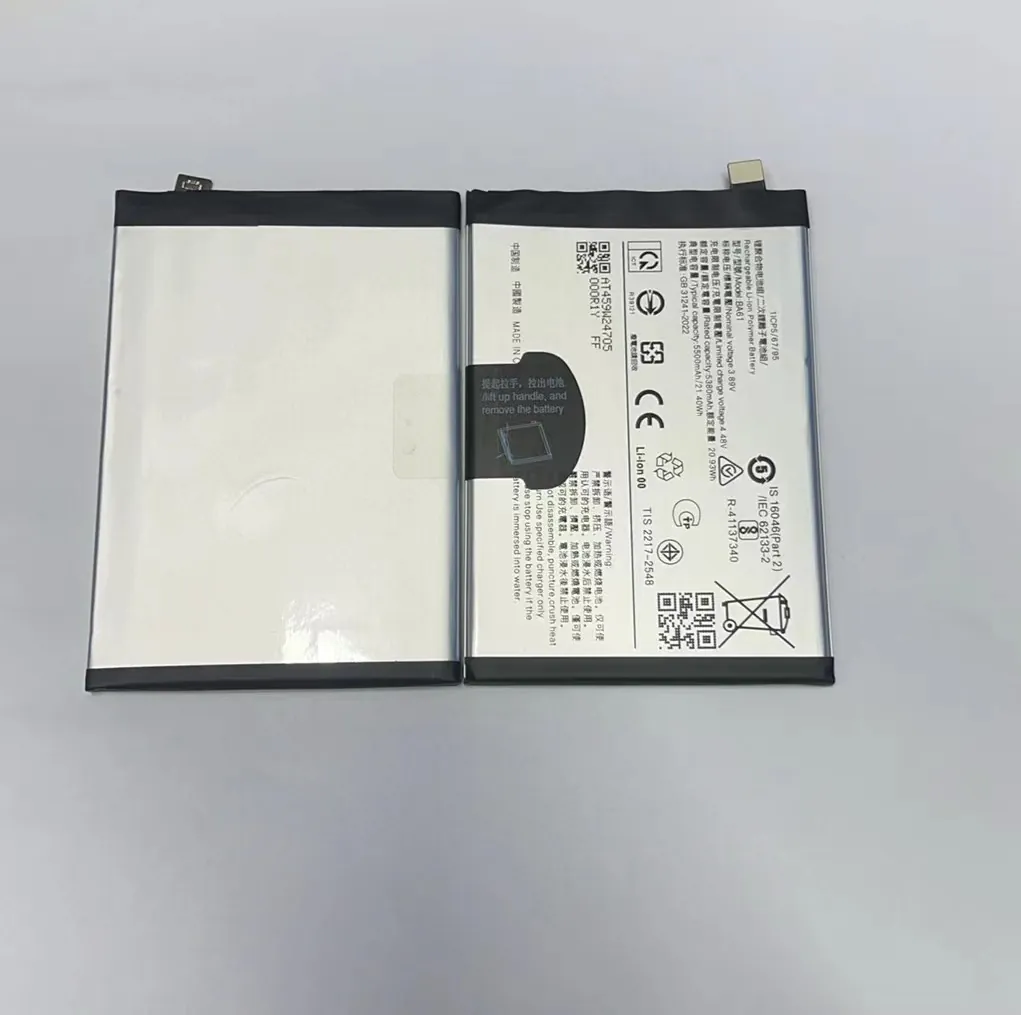
Attaching a flex cable may seem simple, but it requires precision. These cables transmit power and data between the battery and the phone’s motherboard. Poor installation can lead to power failure, fast battery drain, or even short circuits.
Typical Battery Flex Cable Setup
- One end of the flex cable is soldered or embedded into the battery.
- The other end has an FPC or ZIF connector.
- It must align perfectly with the motherboard socket.
- Pressure must be even and moderate to avoid tearing the cable.
Common Mistakes
- Misalignment: If the cable isn’t lined up properly, it won’t make a full connection.
- Too much force: Pressing too hard can bend the pins or damage the socket.
- Loose connections: This causes intermittent power supply, making the phone reboot randomly.
Step-by-step: How to Attach a Battery Flex Cable
| Step | Action | Tip |
|---|---|---|
| 1 | Align connector and socket properly | Use tweezers if space is tight |
| 2 | Press down gently but firmly | Do not bend the flex |
| 3 | Listen/feel for a soft click | It means the connection is secure |
| 4 | Test battery function after assembly | Check for charging and powering on |
As a repair supplier, I always recommend practicing with damaged or spare parts before working on a customer’s phone. Mistakes can be expensive and damage trust.
Why connector shapes vary?
It’s confusing when two phone batteries look similar but have different connector shapes. Many buyers assume a battery will fit just because the model number matches.
Connector shapes vary because of differences in phone design, internal space, and manufacturer standards. Brands design connectors to fit their circuit layout and reduce compatibility risks.

Even within one brand, like Samsung or Apple, you’ll find various connector types. For example, the iPhone 7 and iPhone 8 have different battery flex cable lengths and connector angles, even though their batteries look alike.
Why Manufacturers Design Different Connector Shapes
1. Internal Component Layout
Different logic board layouts require connector placement to shift accordingly.
2. Device Thickness
Slimmer phones often use smaller or angled connectors to save space.
3. Battery Capacity
Higher-capacity batteries may need larger, more robust connectors for higher current flow.
4. Anti-Counterfeit Measures
Some connector shapes are designed to prevent generic batteries from being used.
Examples from My Stock
| Phone Model | Connector Style | Special Note |
|---|---|---|
| iPhone X | FPC, angled | Short flex, must align perfectly |
| Samsung A50 | Straight flex | Connector on right side |
| Huawei P30 | ZIF-style | Locking mechanism must be lifted |
| Xiaomi Redmi 9 | Flat FPC | No latch, press-fit only |
When buying in bulk, always double-check the connector orientation and length. I’ve had clients return perfectly working batteries just because the cable was 2mm too short.
Which connectors ensure safety?
Many repair businesses have learned the hard way that a poor connector can ruin the phone—or worse, cause it to overheat. Safety is often overlooked when only thinking about fitting.
Connectors that have strong contact points, anti-spark design, and tested pin alignment offer the best safety during battery replacement.
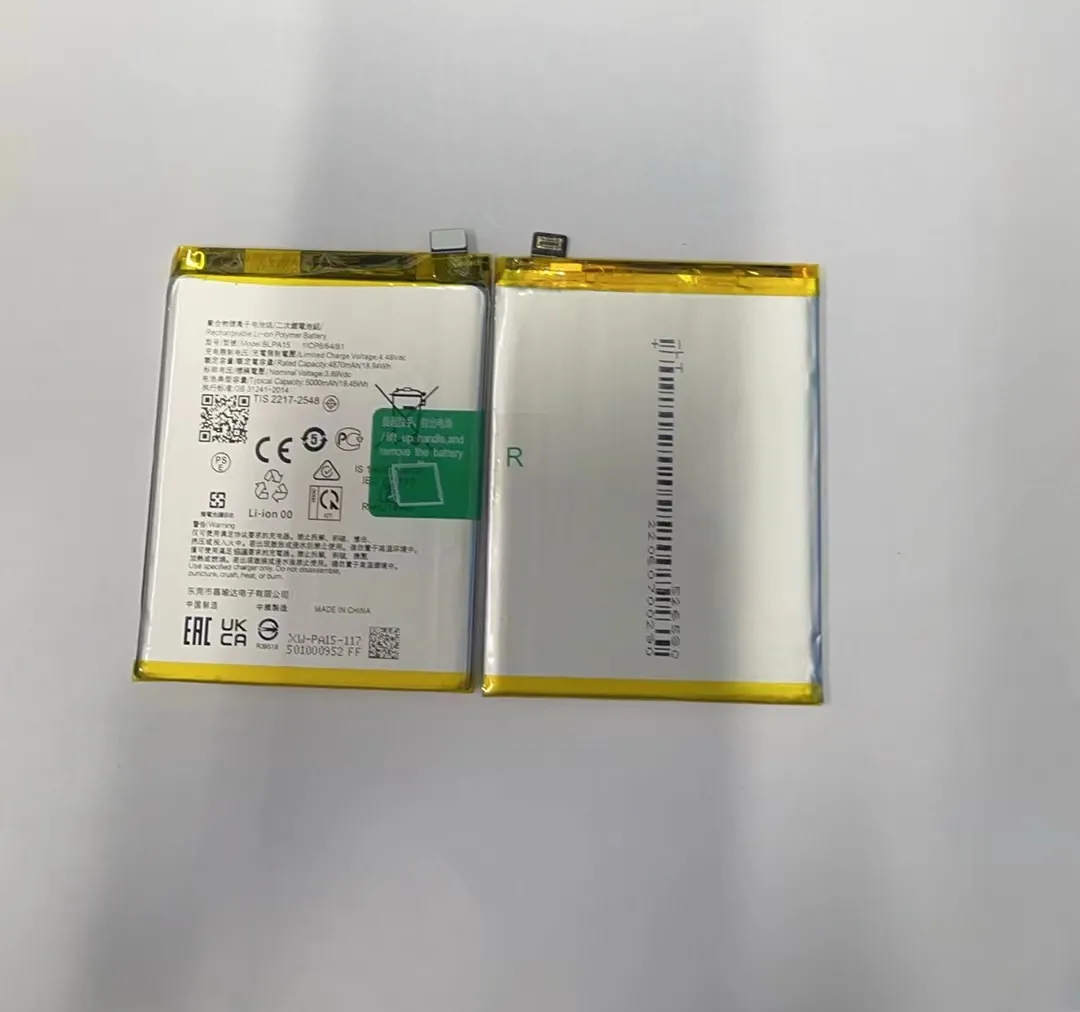
Connectors may be small, but they carry live current. A poor connection leads to unstable voltage, which can damage the mainboard or cause short circuits. That’s why certified connectors are critical.
Key Safety Features in Battery Connectors
1. Pin Gold Plating
Gold-plated pins resist corrosion and provide stable current flow over time.
2. Anti-Spark Design
Some connectors include spark-suppression features to prevent tiny arcs during plug-in.
3. Locking Mechanism
ZIF connectors lock the cable in place, reducing movement and preventing loose contact.
4. Heat Resistance
Connectors are often made from special plastics that can withstand internal heat during charging.
How I Check Connector Safety
When sourcing batteries for wholesale, I run each batch through a 3-step test:
- Visual inspection for any bent pins or loose sockets
- Continuity test using a multimeter to check the power line
- Thermal scan while charging to detect abnormal heat points
Recommended Safe Connector Checklist
| Feature | Description |
|---|---|
| Pin Alignment | Must match the original socket |
| Contact Resistance | Should be low and consistent |
| Spark Protection | Built-in resistor or circuit protection |
| Housing Material | Flame-retardant plastic |
If a battery connector does not meet these standards, I reject it immediately, even if it's cheaper. I value long-term business over short-term margins.
Conclusion
Battery connectors might look small, but they carry a big responsibility. Knowing the types, shapes, and safety features can make your repair jobs smoother and safer. Always choose tested and high-quality connectors to avoid risk.
