

Many users struggle with phone battery issues but don’t know where to start looking for the right replacement.
To order a battery for a Virgin mobile phone, users need to know the phone model, verify battery specs, and choose a trusted supplier to avoid fake or poor-quality parts.
Buying the wrong battery can cause serious issues—like charging problems or device damage. Let’s explore how to avoid mistakes and ensure the right purchase.
Where can users buy Virgin-compatible batteries?
It’s frustrating when your phone dies quickly and you're not sure where to get a replacement.
Users can buy Virgin-compatible batteries online from trusted wholesale suppliers, repair part websites, or local phone repair stores.

There are three main options for buying a Virgin-compatible battery:
1. Online wholesalers
Wholesale platforms often have large inventories and can ship worldwide. For example, many distributors in Shenzhen specialize in mobile parts. These sellers often offer tested products, which helps reduce the risk of defects.
2. Specialized repair part websites
Some websites focus only on phone parts. They usually provide detailed battery specs and compatibility information. These platforms may also support custom packaging, bulk orders, and warranty options.
3. Local repair shops
If you’re in a hurry or unsure which battery to buy, visiting a local repair shop is a good idea. The staff can often help identify your phone model and recommend a suitable battery. But prices may be higher than online.
Here’s a quick comparison:
| Source | Pros | Cons |
|---|---|---|
| Online Wholesalers | Lower prices, bulk deals, tested parts | May have longer shipping times |
| Repair Part Websites | Detailed specs, good service options | Slightly higher prices |
| Local Shops | Fast, hands-on help | Limited stock, higher prices |
No matter where you buy, always confirm the seller’s reputation and customer reviews. A trusted source makes all the difference.
Why check battery specifications?
Many people think any battery that fits will work—but that’s not true.
Checking battery specifications ensures the new battery matches your phone’s power, size, and connector requirements.
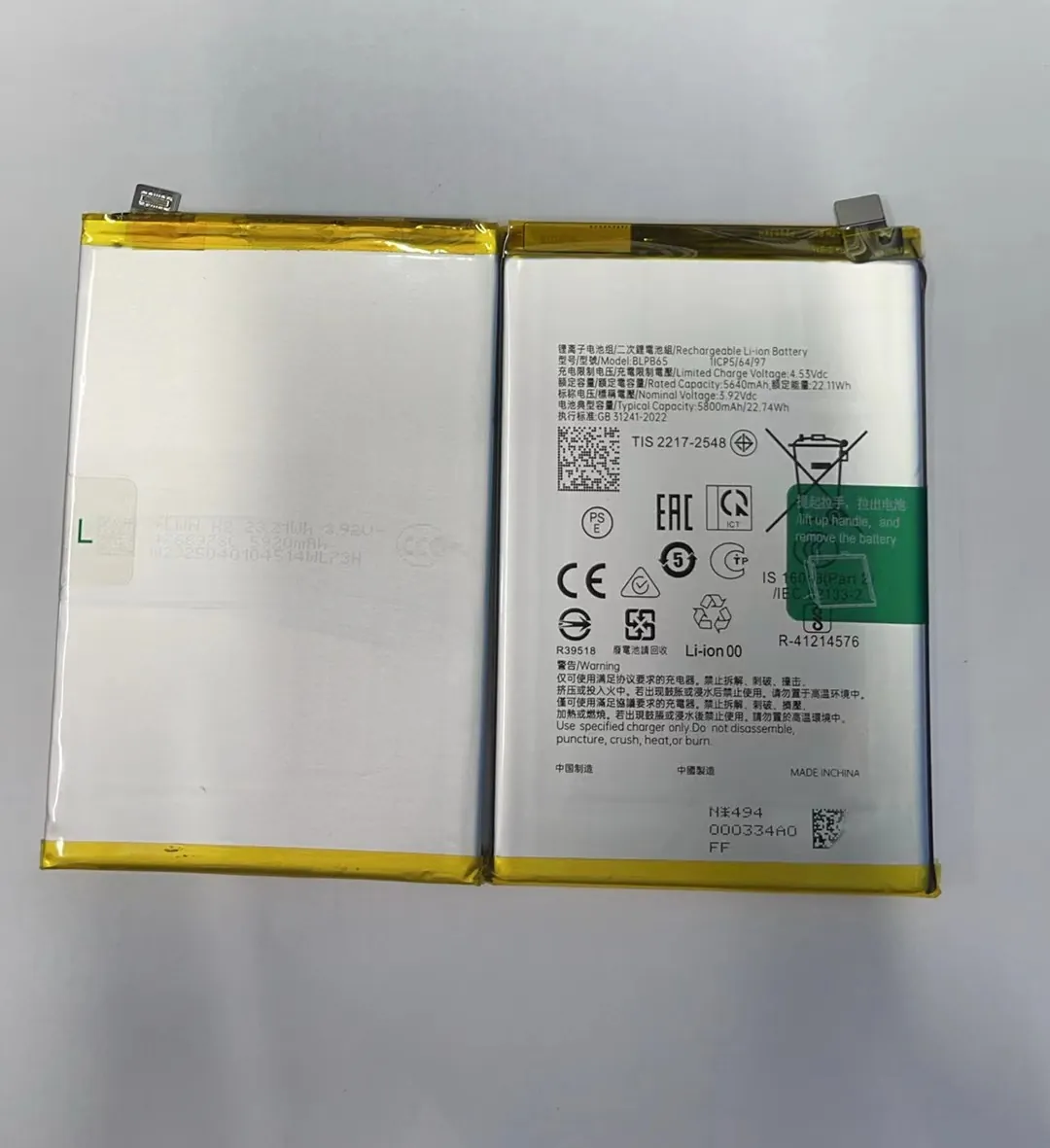
A battery is more than just a power source. It must be the right type and match specific technical features of the phone. Failing to check can cause problems like short battery life, overheating, or no charging at all.
Key specifications to check:
Battery model number
Every battery has a model number printed on it—usually a combination of letters and numbers. This model must match exactly. A slight difference could mean the battery won’t fit or work.
Voltage and capacity (mAh)
- Voltage (V): Most phone batteries run on 3.7V or 3.8V. Using the wrong voltage can damage your phone.
- Capacity (mAh): This affects how long the battery lasts. A slightly higher capacity is usually okay, but going too high might cause problems with fit or heat.
Connector type and position
The battery connector must line up with the phone’s internal port. Even if everything else matches, a wrong connector position makes the battery useless.
Here’s a table of typical Virgin-compatible battery specs:
| Phone Model | Battery Model | Voltage | Capacity (mAh) | Connector |
|---|---|---|---|---|
| Virgin ZTE Tempo X | Li3820T43P3h735350 | 3.8V | 2200 | Left top |
| Virgin LG Tribute | BL-45F1F | 3.85V | 2500 | Center |
| Virgin Samsung J3 | EB-BG530CBE | 3.8V | 2600 | Right top |
Double-check these details before placing any order. When in doubt, remove your old battery and read its label.
Which models require exact matches?
Some phone models can handle slight differences, but others are less forgiving.
Virgin mobile phones like LG, ZTE, and Samsung models usually require exact battery matches to function safely and properly.

Older models are especially sensitive. They were not built to adapt to variations in battery design. Also, budget models often have tighter internal spaces. A small size difference can stop the battery from fitting.
Why exact matches matter
Phone software limitations
Some devices check the battery chip for compatibility. If the chip ID doesn’t match, the phone may show an error or refuse to charge.
Physical constraints
Batteries have to fit within millimeters. If a replacement is too thick or long, it can damage the internal frame or press against the screen.
Safety risks
Batteries not designed for a specific model might overheat, swell, or even leak. This can damage the phone and pose safety hazards.
Examples of phones that need exact matches:
- LG Tribute Empire – Rejects non-original chip batteries.
- ZTE Quest Plus – Requires a low-profile connector.
- Samsung Galaxy J3 Emerge – Needs exact contact point alignment.
Always confirm the model number printed on your phone (usually under the battery or in Settings > About phone) before buying. Also, don’t assume one battery works for all phones in a brand—each model is different.
How do you avoid counterfeit parts?
Many batteries look the same, but some are poor-quality fakes.
To avoid counterfeit parts, buy from certified suppliers, check packaging details, and request product testing or quality reports.

Fake batteries can cause major problems. They may look like real ones but have low capacity, poor build, or unsafe chemicals. In some cases, they even miss safety circuits. Using one could damage your phone—or worse.
How to spot a fake:
1. Check branding and labels
Real batteries usually have clean printing, correct logos, and barcodes. Look for spelling errors or misaligned text. A fake may look slightly “off.”
2. Verify weight
Original batteries are heavier because they contain proper cells and safety layers. If a battery feels too light, it may be fake.
3. Ask for test reports
Good suppliers can provide test records. These show that the battery passed quality checks like capacity testing, charge/discharge cycles, and safety inspections.
4. Read reviews and ask for photos
If buying online, check what other buyers said. Also ask for real product photos—not just stock images. This helps confirm what you’re getting.
Why quality matters
Using a counterfeit battery can cause:
- Fast power drain
- Overheating and shutdowns
- Charging errors
- Swelling or leakage
- Fire risks
A quality battery may cost a little more, but it’s worth it. It keeps your phone running safely and reduces returns or repair costs.
Choose a seller that stands behind their product with a one-year warranty and full inspection reports. That’s a strong sign of a reliable supplier.
Conclusion
Ordering a battery for a Virgin mobile phone is simple if you follow the right steps. Always match the model number, check the battery specifications, and choose a trusted supplier to avoid low-quality or unsafe parts.
