

Most people only think about their battery when the phone starts dying too fast. But waiting too long can lead to bigger problems.
You should consider replacing your phone battery every 18 to 24 months, especially if you notice performance drops, fast draining, or unexpected shutdowns.
If you rely on your phone for business or daily tasks, keeping the battery healthy ensures smooth usage. Let’s look at how to spot the signs and understand what affects battery life.
What signs show your battery needs replacement?
Most users ignore battery issues until their phone starts acting strange. That's often too late. Poor battery health leads to lost time and even lost data.
If your phone shuts down suddenly, drains quickly, charges slowly, or feels hot often, your battery likely needs replacement.
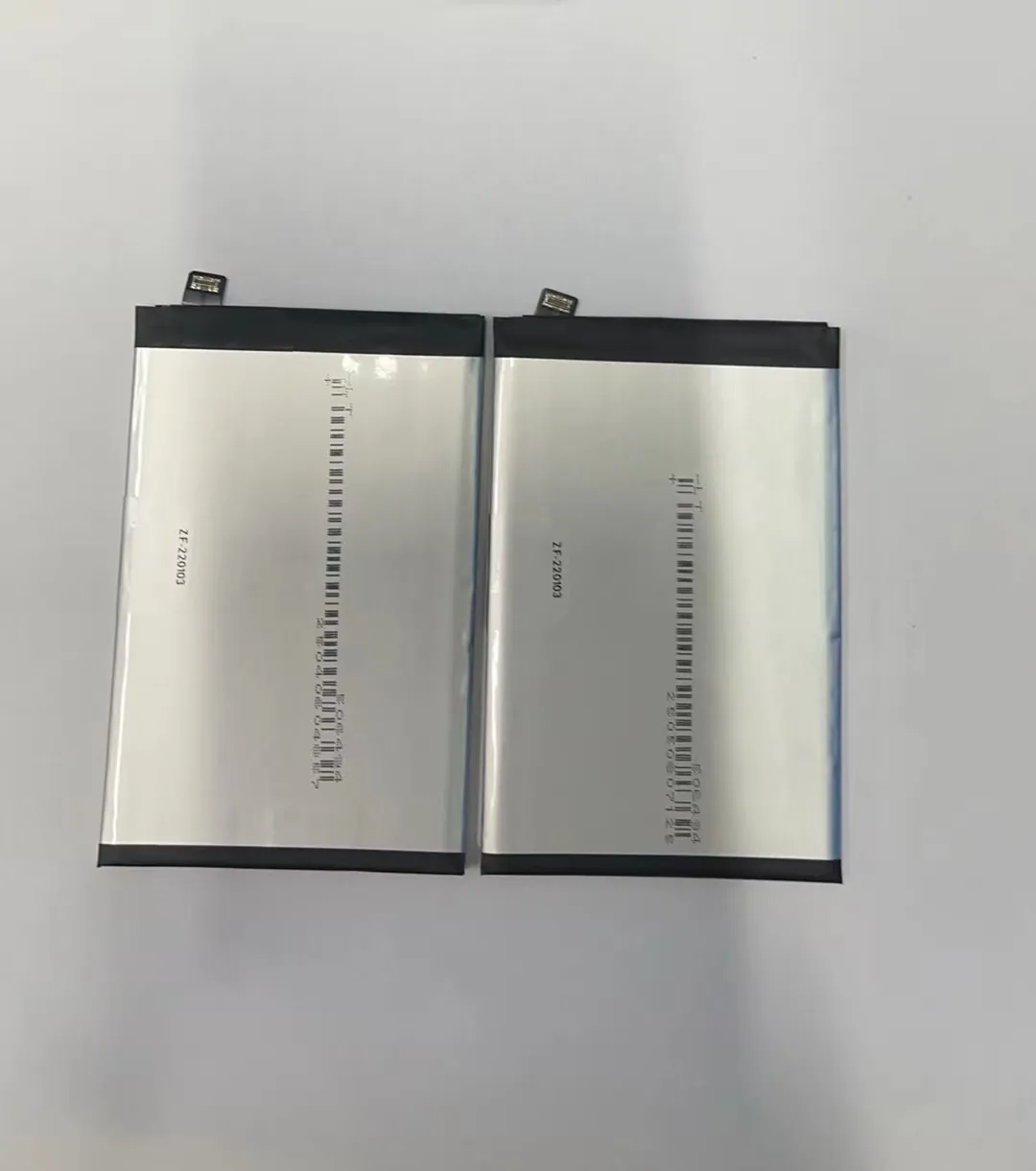
When a battery ages, its ability to hold a charge drops. You may notice your phone doesn’t last through the day anymore. Sometimes, it shuts down even when it says there's 20% left. These are clear signs.
Here are a few common symptoms that your battery is failing:
1. Battery drains too fast
If you charge your phone to 100% and it drops to 50% within an hour with light use, it’s likely the battery is aging. Fast drain is the most obvious clue.
2. Unexpected shutdowns
If your phone turns off when it still shows some charge left, this is a strong sign of poor battery health. The battery can’t deliver power correctly under load.
3. Charging takes too long
New batteries charge quickly. But as they degrade, internal resistance increases, slowing down the charging speed. If you need 3+ hours to fully charge, it may be time.
4. Phone heats up during normal use
Heat is normal during heavy gaming or charging. But if it gets warm with simple apps like messaging or web browsing, your battery may be the issue.
5. Battery health warning
Some phones, like iPhones, show battery health under settings. If it drops below 80%, performance may be affected, and replacement is advised.
| Sign | Description |
|---|---|
| Fast drain | Phone battery drops quickly even with little use |
| Shutdowns | Phone turns off before reaching 0% |
| Slow charging | Takes unusually long to charge fully |
| Overheating | Phone gets hot during light use |
| Battery health below 80% | Official battery status shows significant wear |
Is two years a typical battery lifespan?
Most people expect their phone to last forever. But batteries are like tires – they wear out with use. Even the best ones don’t last more than a few years.
Yes, two years is the average lifespan for a lithium-ion phone battery under normal use.

Smartphone batteries lose capacity every time they go through a charge cycle (from 0% to 100%). Most batteries are rated for about 500 cycles. After that, they may only hold 80% or less of their original capacity.
Let’s break down what that means:
How battery aging works
Every time you charge your phone, the battery goes through chemical changes. These changes are permanent. Over time, the battery can no longer store the same amount of energy.
Two-year mark
In normal use – charging once a day – most users reach around 500 charge cycles in about 18 to 24 months. That’s why phones start showing signs of aging around the two-year mark.
Brand differences
Some brands use better battery management systems. For example, Apple and Samsung devices tend to last a bit longer because they limit performance to protect the battery. But even then, replacement is often needed after 2 years.
| Battery Lifespan Factors | Details |
|---|---|
| Charge cycles | Most batteries last about 500 cycles |
| Time | Batteries degrade with time, even unused |
| Usage | Heavy apps and fast charging can shorten lifespan |
| Heat | High temperatures speed up battery wear |
Replacing the battery around the two-year mark helps keep your phone fast and reliable.
How do usage habits influence battery wear?
We don’t always think about how we use our phones, but small habits can speed up battery damage. That means replacing your battery sooner than needed.
Yes, how you charge, store, and use your phone greatly impacts how fast the battery wears out.

Let’s look at key habits that damage or protect your battery:
1. Charging overnight
Leaving your phone plugged in overnight means it stays at 100% for hours. This increases stress on the battery and raises heat, which shortens its life.
2. Using the phone while charging
When you play games or watch videos while charging, the phone heats up. High temperature during charging is harmful. It causes faster wear.
3. Letting battery go to 0%
Frequently draining your battery to 0% before recharging causes more wear. Lithium batteries prefer shallow charges. Charging from 20% to 80% is much better.
4. Fast charging
Using high-wattage chargers can speed up battery wear. It’s convenient but generates more heat. Over time, this damages the battery’s structure.
5. Heat exposure
Leaving your phone in a hot car or under sunlight can permanently reduce battery capacity. Heat is the number one enemy of lithium batteries.
Here’s a table comparing good and bad battery habits:
| Good Habit | Bad Habit |
|---|---|
| Unplug at 80-90% | Charge overnight to 100% |
| Use official charger | Use cheap third-party charger |
| Charge before 20% | Always charge from 0% |
| Store in cool place | Leave in hot sun or car |
| Use slow charge when possible | Always fast charge |
Simple changes can add months to your battery’s life. If you handle your phone carefully, you might delay replacement by 6 months or more.
Can battery replacement improve performance?
Some people think only new phones are fast. That’s not always true. In many cases, a simple battery change makes the phone run like new.
Yes, replacing a worn-out battery can boost speed, reduce crashes, and stop random shutdowns.

Why performance drops with bad batteries
Modern phones reduce CPU speed when the battery is weak. This is a safety feature. It prevents the phone from crashing when power demand is high. But it makes the phone slow.
If your battery health is under 80%, your phone may lag even when opening simple apps. Some apps may crash or freeze. A weak battery can't supply stable power.
After battery replacement
When you install a fresh battery, the phone can use its full power again. Apps open faster. Games don’t lag. Your phone feels smooth and stable.
This is especially true for older iPhones. Apple confirmed they slow down the CPU when battery health is low. Replacing the battery brings full speed back.
You don’t always need a new phone
Some people think they need a new phone every two years. But if the screen and mainboard are fine, replacing the battery can add another year or two of use.
Battery replacement is cheaper than buying a new phone. It’s also better for the environment. You reduce waste and save money.
Here’s a quick cost comparison:
| Option | Average Cost | Benefit |
|---|---|---|
| Battery replacement | $20–$50 | Faster speed, longer life |
| New phone | $300–$1000 | Full upgrade, but costly |
| No action | $0 | Ongoing frustration, shutdowns |
In most cases, replacing the battery is the smart move. It brings life back to your phone without breaking your budget.
Conclusion
Phone batteries don’t last forever. If your phone feels slow or dies fast, the battery is likely the problem. Replacing it every two years is a good rule. With proper care, you may stretch it longer. But if you see signs of aging, don’t wait—get a new battery and enjoy smooth performance again.
