

Sometimes your phone is dead, and so is your battery. You need power now, but there’s no phone to help you. What can you do?
You can still charge your mobile battery without the phone using external tools like universal chargers or battery docks. These options are handy for repair shops and tech tinkerers.
When your device is broken or unavailable, charging the battery directly is not only possible—it’s sometimes necessary. Let's explore how.
What tools support external charging?
Sometimes your phone is damaged and can’t be turned on, but the battery is still usable. You want to charge it without needing a working phone.
You can charge a mobile battery without the phone using tools like universal battery chargers, adjustable power supplies, and charging docks with spring-loaded connectors.

To make this work, you’ll need tools that connect directly to the battery terminals. These tools are designed to recognize different battery sizes and voltages. Below are the most commonly used tools:
Types of External Battery Charging Tools
| Tool Name | Description |
|---|---|
| Universal Battery Charger | Adjustable pins fit multiple battery sizes and types. |
| Charging Dock | Holds the battery in a cradle and charges through direct terminal contact. |
| Adjustable Power Supply | Manual method to supply voltage directly to terminals, needs extra care. |
Key Things to Look For
- Voltage range: Most mobile batteries operate at 3.7V to 4.2V.
- Adjustable connectors: Important for aligning positive and negative terminals.
- Safety features: Overcharge protection and auto cut-off are useful.
Some people even use DIY alligator clips with a bench power supply. I’ve done it myself, and it works—but only if you know exactly what you’re doing. It’s better to stick to purpose-made tools for safety.
How do docks power loose batteries?
You removed the battery from your broken phone. Now you have to charge it, but you’re not sure how a dock actually works.
Battery charging docks provide direct power to a battery’s terminals using spring-loaded pins and regulated voltage circuits. They mimic the charging behavior of a phone.

Most battery docks are easy to use. You place the battery inside, align the pins with the + and - terminals, and plug it in. The charger manages the rest.
How Charging Docks Work Internally
- Pin Connection: Docks use movable metal pins that slide to match your battery’s terminals.
- Voltage Regulation: A chip inside ensures safe voltage output (usually 4.2V for lithium-ion).
- Charging Logic: Docks typically apply a constant current until the battery nears full, then switch to constant voltage.
Safety and Convenience Features
| Feature | Benefit |
|---|---|
| Reverse polarity detection | Prevents damage if battery is inserted incorrectly. |
| LED status lights | Show charging status (e.g. red = charging, green = done). |
| Over-voltage protection | Cuts off power if something goes wrong. |
Some docks even work over USB, so you can plug them into a laptop or power bank. I keep one on my bench all the time—it’s my go-to when phones won’t boot.
Why polarity must be correct?
You might think a battery will charge no matter which way you connect it. But if you reverse the polarity, you could destroy the battery—or worse.
Polarity must be correct because reversing positive and negative terminals can cause overheating, fire, or permanent damage to the battery and charger.
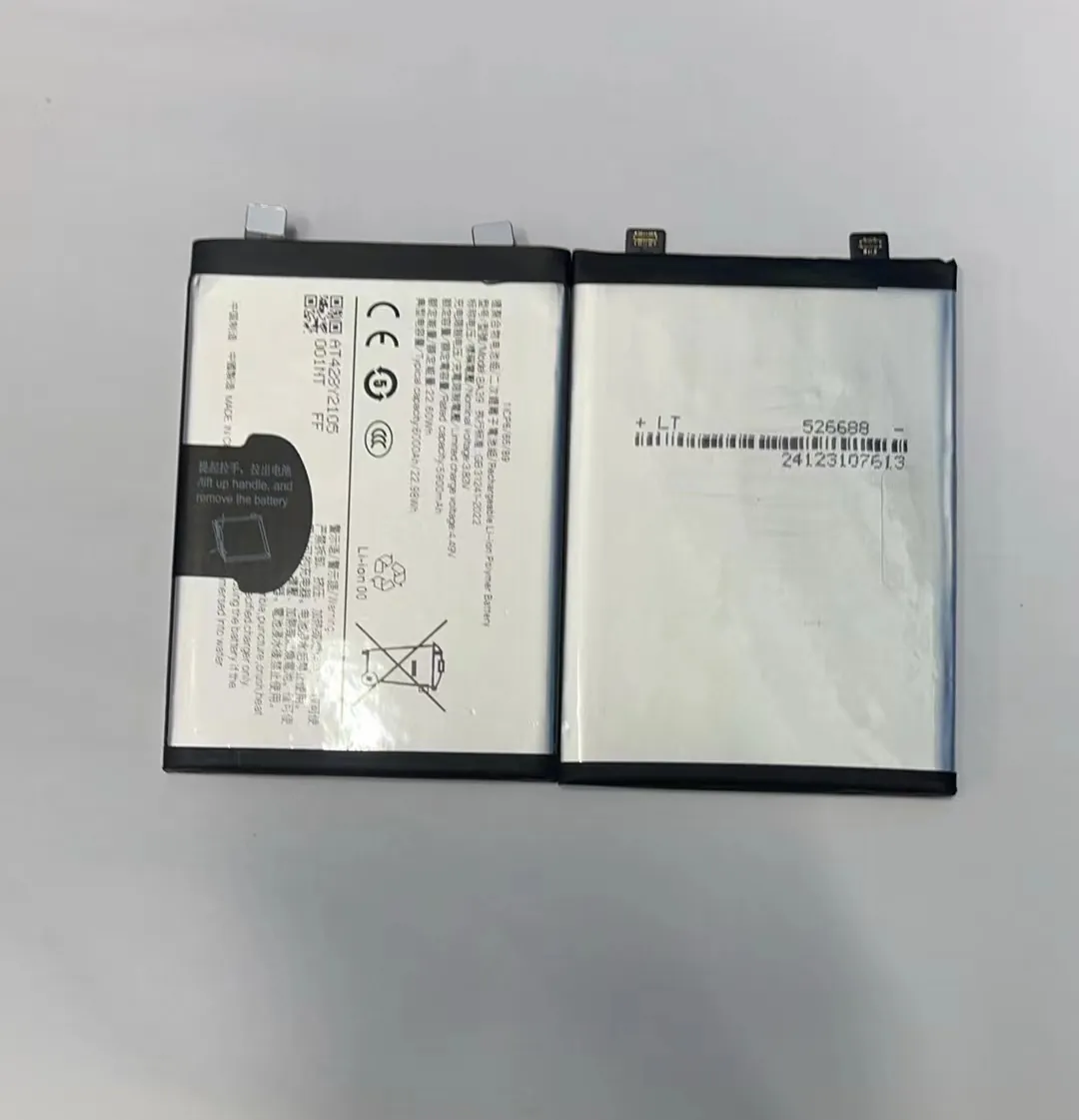
What Is Polarity?
Polarity simply refers to the battery’s positive (+) and negative (–) ends. Like with a car battery, connecting it backward creates problems.
What Happens When Polarity Is Reversed?
- Battery Damage: The internal chemistry may break down or short.
- Charger Failure: Internal components can burn out.
- Fire Hazard: In worst cases, lithium batteries may overheat or catch fire.
How to Ensure Correct Polarity
| Step | What to Do |
|---|---|
| Identify terminals | Most batteries are labeled clearly with + and – symbols. |
| Use polarity markers | Some chargers come with visual guides or locking pins. |
| Test with multimeter | If unsure, check voltage direction using a digital multimeter. |
In my experience, double-checking the terminal layout before charging always saves time and money. One careless mistake can ruin a good battery—or your charger.
Which risks occur with loose cells?
You’ve got a loose battery in your hand. It’s not inside a phone, and it’s not protected. Should you be worried?
Yes, charging or handling loose lithium batteries without safety precautions can cause short circuits, overheating, or even explosions. Always use proper tools and avoid physical damage.

Loose batteries are dangerous because they’re exposed. When inside a phone, they’re protected by circuits and casings. Outside, it’s all manual control.
Main Risks of Charging Loose Cells
- Short Circuit: Touching both terminals with metal can spark or burn.
- Overcharge: Without a control board, the battery may keep charging beyond safe limits.
- Thermal Runaway: Damaged cells can heat up fast, sometimes exploding or catching fire.
- Leakage: Physical damage may cause internal chemicals to leak.
How to Charge Loose Batteries Safely
| Safety Tip | Explanation |
|---|---|
| Use dedicated charging tools | Avoid DIY setups unless you're experienced. |
| Monitor temperature | If the battery gets too warm, unplug it immediately. |
| Avoid unattended charging | Never leave loose batteries charging overnight. |
| Check for physical damage | Don’t charge swollen, punctured, or wet batteries. |
I’ve seen repair shops catch fire because someone tried to charge a battery with makeshift wires. Always respect lithium-ion technology—it’s powerful, but dangerous when handled wrong.
Conclusion
Charging a mobile battery without a phone is possible with the right tools and safety steps. Make sure polarity is correct, use proper charging docks, and never take shortcuts with loose batteries.
