

Charging a mobile phone seems easy, but bad habits silently kill your battery every day. Stop these mistakes before they cost you.
The correct way to charge your phone battery includes using the right charger, avoiding full discharges, preventing overheating, and maintaining partial charge cycles.
Your phone battery does not die overnight. It weakens gradually, affected by how and when you charge it. Let’s explore practical habits that protect battery health and extend its life.
What charging habits protect lifespan?
Bad charging habits ruin batteries fast. You may not notice it now, but over time, your phone starts to die quicker and charge slower.
Good charging habits like avoiding full discharges, unplugging after full charge, and using slow charging overnight help protect the battery’s lifespan.

When a phone battery keeps hitting 0% or stays at 100% for hours, it ages faster. Lithium-ion batteries work best when they are between 20% and 80%. That’s why deep discharges and overcharging cause damage.
Key Charging Habits to Practice
| Habit | Benefit |
|---|---|
| Keep charge between 20%-80% | Reduces battery stress |
| Unplug after 100% | Avoids voltage strain |
| Use original or certified chargers | Maintains safe power input |
| Avoid using phone while charging | Prevents extra heat buildup |
Charging at night is okay if your charger and phone support smart charging. But some cheap adapters don’t stop supplying power after 100%, which hurts battery life. In such cases, it’s safer to charge during the day when you can unplug manually.
Also, some users think charging to 100% gives the longest daily use. That’s true short term, but the long-term cost is a weaker battery after 1–2 years. If you plan to use your phone for more than 2 years, controlling charge levels helps a lot.
Why avoid overheating while charging?
Your phone feels hot during charging? That heat is more dangerous than low battery levels.
Overheating during charging speeds up battery wear, causes safety issues, and reduces long-term capacity.
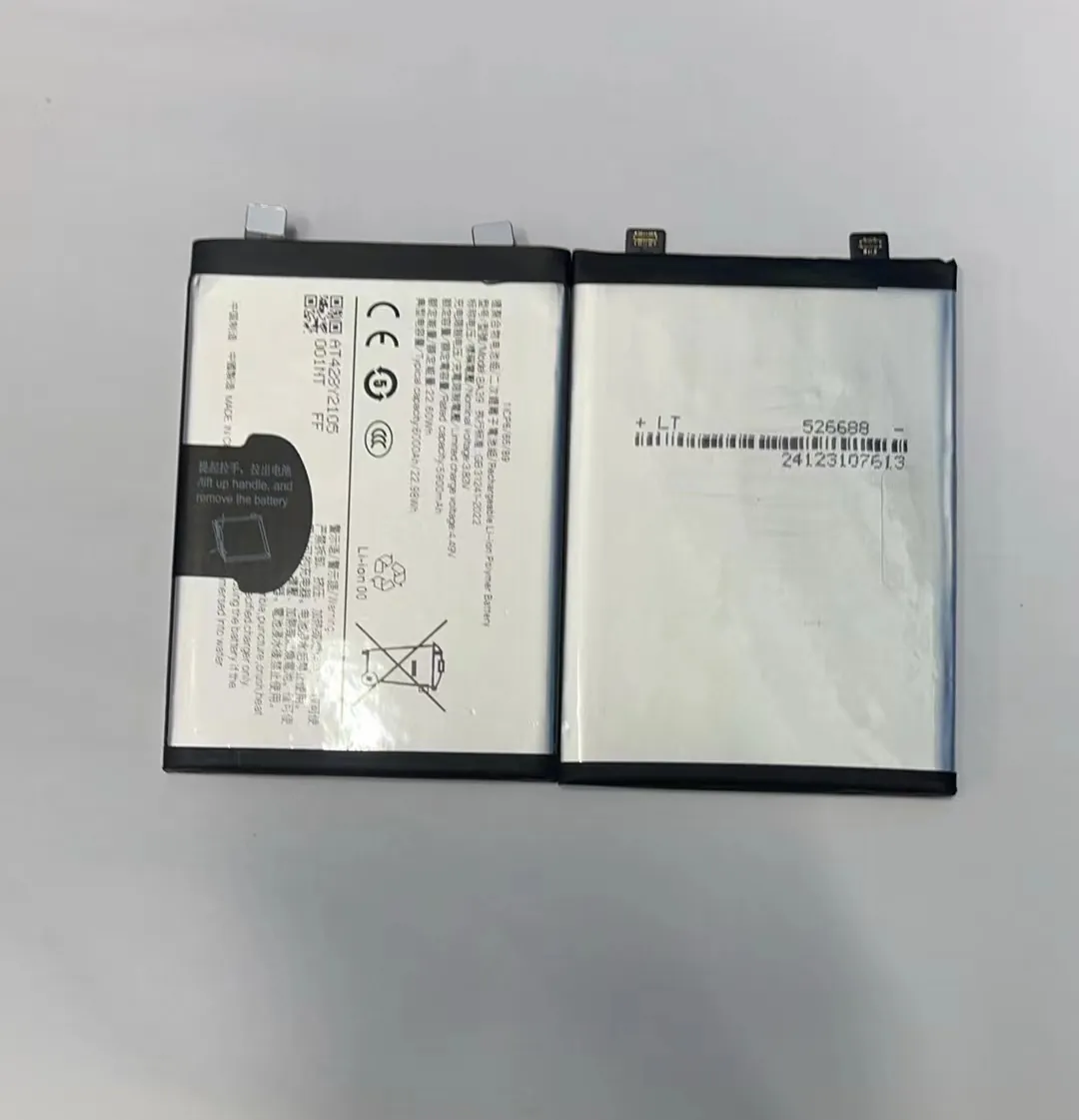
Batteries are sensitive to heat. When the temperature goes above 40°C (104°F), the battery’s chemical stability breaks down faster. This shortens its lifespan and in extreme cases can cause battery swelling or even fires.
Common Causes of Overheating
| Cause | How it affects |
|---|---|
| Charging under pillow or blanket | Traps heat, blocks airflow |
| Using phone while charging | Adds processor heat |
| Using high-watt chargers with cheap cables | Causes unstable current flow |
| Charging in direct sunlight | Increases ambient temperature |
Avoid putting your phone under the pillow or bed covers during charging. That’s a fire risk. Instead, place it on a hard, cool surface with air flow. Using the phone for heavy tasks while charging, like gaming or video calls, also heats it up. If possible, let the phone rest during charging.
If you notice the phone heats up a lot with a specific charger, stop using it. Not all chargers are equal. Some third-party adapters may push too much power, which generates more heat than your battery can handle.
Which chargers maintain battery health?
Not all chargers are created equal. The wrong charger damages your phone silently, even if it works fine today.
Chargers that match your phone’s power specifications, are certified safe, and support smart charging protect battery health.

Fast charging sounds great. But not all phones are built for high-watt fast charging. Over time, forcing too much power into the battery can wear it out. That’s why using the correct charger matters.
Types of Chargers and Their Impact
| Charger Type | Effect on Battery |
|---|---|
| Original manufacturer charger | Best match, safest option |
| Certified third-party charger | Safe if voltage and current match |
| Unknown brand / counterfeit | Risk of overheating or battery damage |
| Super-fast chargers (if unsupported by phone) | Battery wear and tear |
Always match your phone model with the charger’s voltage and amp rating. For example, if your phone needs 5V/2A input, don’t use a 9V/3A charger unless the phone supports it.
USB Power Delivery (PD) and Qualcomm Quick Charge are smart charging technologies. They adjust power levels to fit your phone’s needs. But only certified chargers support these features. Generic cheap chargers may promise fast charging, but they often lack these protections.
One more tip: if your charger or cable gets hot while charging, it’s a red flag. Switch it out, even if it still works. Heat is a sign that the charger may be pushing unstable current into your phone.
How does partial charging help?
Some people say you should always charge to 100%. That advice is outdated.
Partial charging—keeping your phone battery between 30% and 80%—reduces chemical stress and increases battery life.

Lithium-ion batteries have a limited number of full charge cycles. One full cycle means using 100% of the battery’s power. That could be 0% to 100%, or two times 50% to 100%. The more full cycles used, the sooner the battery degrades.
By charging only partially, you reduce the number of full cycles. This means slower aging of the battery.
Benefits of Partial Charging
- Lower voltage stress
- Reduced heat during charge
- Slower chemical aging
- More efficient long-term battery health
Suggested Charging Routines
| Usage Pattern | Charging Suggestion |
|---|---|
| Light daily user | Charge from 40% to 80% |
| Moderate user | Charge from 30% to 85% |
| Heavy user | Charge from 20% to 90%, avoid 100% daily |
Some modern phones now include “Battery Health” or “Optimized Charging” features. These allow the phone to stop charging at 80% automatically or learn your charging habits. Turn these features on if available.
Even without this feature, manual control works. Try not to plug in the phone every time you see 70% or 80%. Let it drop below 40% before recharging, but avoid hitting 0%.
If you plan a long trip or need full battery, charging to 100% is fine. Just avoid doing it every day.
Conclusion
Charging your phone the right way means balancing convenience with battery care. Use the correct charger, avoid overheating, and stay within healthy charge levels. These simple habits protect your phone and save you from early battery replacement.
