

Most of us have been there: your phone battery is dead, and you can’t find your charger. It feels urgent and frustrating. You need your phone, but the battery is empty.
Yes, there are ways to charge your phone battery without its original charger. You can use USB cables, power banks, laptops, or even batteries—if you know how.
Sometimes your usual options are not available. But if you know a few backup methods, you can avoid getting stuck. Let's explore what really works and what doesn’t.
Can you charge a phone battery using a USB cable?
Running out of battery without a wall charger is common, especially when traveling. Many people wonder if a regular USB cable alone can help.
Yes, you can charge your phone using a USB cable by connecting it to a laptop, PC, or other USB port that supplies power.

How USB charging works
Every USB port supplies power. A standard USB 2.0 port provides about 0.5A at 5V. That’s slower than a wall charger, but enough to power up your phone slowly. USB 3.0 ports give more current, often 0.9A or more.
You only need:
- A working USB cable
- A powered device like a laptop or desktop
Steps to follow
- Plug the USB end into the laptop or desktop.
- Connect the other end to your phone.
- Wait. Charging through USB is slower but steady.
| USB Version | Max Output (Amps) | Charging Speed |
|---|---|---|
| USB 2.0 | 0.5A | Very Slow |
| USB 3.0 | 0.9A | Slow |
| USB-C PD | Up to 3A or more | Fast (if supported) |
This method is safe. It won’t damage your battery. But it won’t charge fast, and the laptop needs to stay on.
What if you only have a USB cable?
If you're somewhere with a TV, car stereo, or gaming console like a PlayStation, plug your USB cable into their USB port. These devices also provide small amounts of power. It’s not ideal, but better than nothing.
What emergency methods work for charging phones?
You’re stuck with no charger, no power bank, and a dead phone. What else can you try?
You can charge your phone using laptops, car USB ports, wireless chargers, hand-crank generators, or even AA batteries in extreme cases.

Common emergency charging methods
Here are the top alternatives when you have no wall charger:
| Method | Tools Needed | Works with most phones? | Risk Level | Charging Speed |
|---|---|---|---|---|
| Laptop or PC | USB cable | Yes | Low | Slow |
| Power bank | USB cable, charged power bank | Yes | Low | Medium |
| Car charger/USB port | USB cable, car power | Yes | Low | Medium |
| Wireless charging pad | Compatible phone, powered pad | Only for wireless phones | Low | Medium |
| Hand-crank charger | Crank tool, USB cable | Most phones | Medium | Very Slow |
| DIY battery + wires | AA batteries, wire, tape, USB connector | Not recommended | High | Dangerous |
Less common methods
Hand-crank chargers can work, but they are inefficient. You must turn the crank continuously to produce energy. Solar chargers also work well outdoors but depend on the sun.
Warning: DIY battery charging using wires and AA batteries is very risky. It may damage your phone or cause fire. Only consider it if you're trained and out of all options.
Is power bank a safe alternative to chargers?
You probably carry a power bank when traveling or during long outdoor trips. But is it safe for your phone?
Yes, power banks are generally safe for charging phones as long as they have good quality, proper output, and are not damaged.
What makes a power bank safe?
A good power bank has:
- Over-voltage protection
- Short-circuit protection
- Stable voltage output
- Compatible USB ports
Avoid using old or damaged power banks. They may give unstable voltage, which could harm the battery.
How to choose the right power bank
Choose a power bank with a capacity higher than your phone battery. For example, if your phone has a 4000mAh battery, get a power bank with at least 5000mAh.
Make sure the output current (measured in Amps) is close to what your original charger gives. If your original charger is 2A, the power bank should also offer 2A or more.
Tips for using power banks safely
- Never leave it under direct sunlight.
- Avoid overcharging. Unplug when the phone is full.
- Keep the power bank clean and dry.
- Use certified brands. Avoid cheap copies.
This is the most reliable backup method, especially during travel or power cuts.
How to safely charge phones with external batteries?
Sometimes, people remove the battery from the phone and try charging it using metal contacts. Is that safe?
You can charge a phone with an external battery if you use a universal battery charger. But DIY wiring is dangerous and not recommended.

What are external battery chargers?
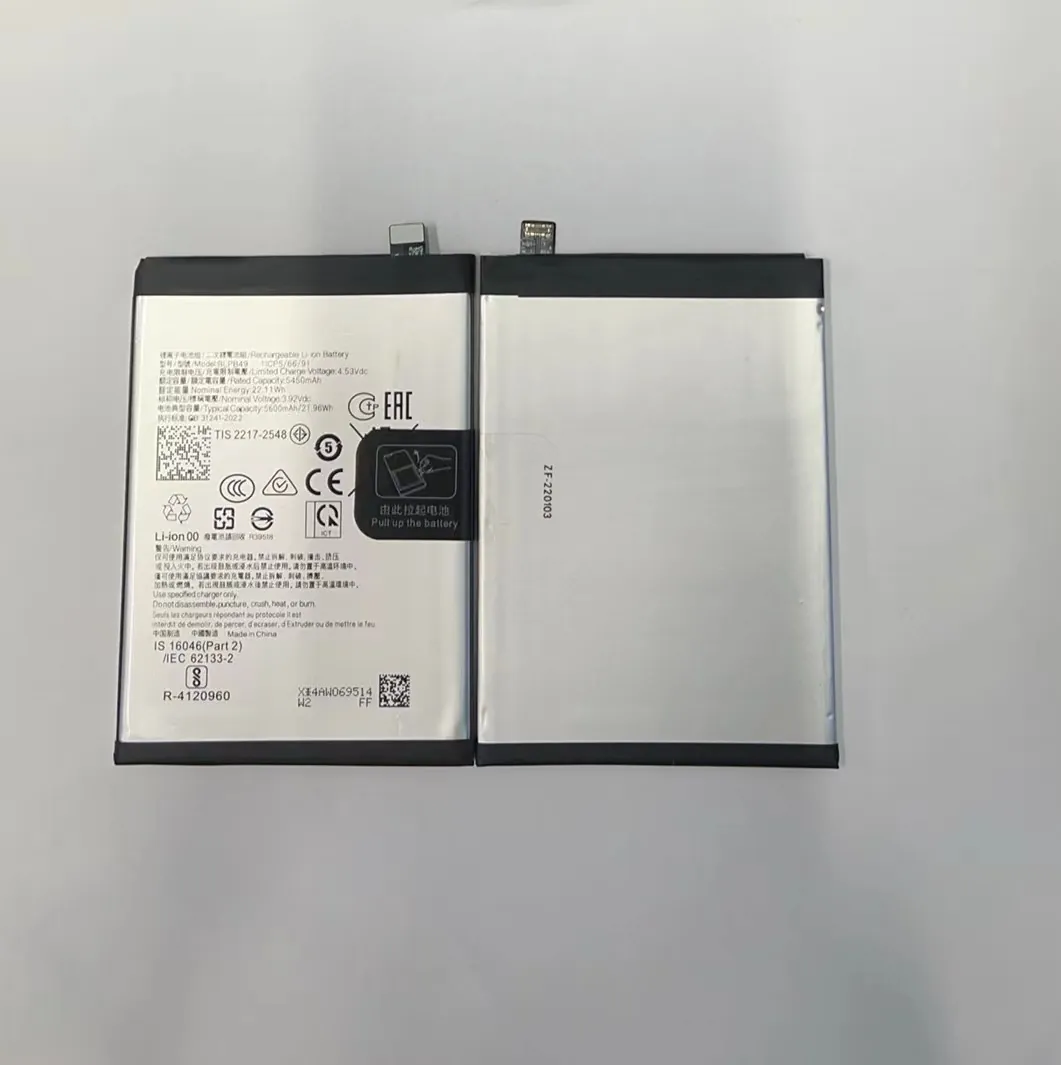
These are devices that charge phone batteries outside the phone. You remove the battery, place it into the charger, and plug the charger into a power source.
They are also called “universal chargers” or “frog chargers.” These work with many lithium-ion batteries.
Steps to use external chargers
- Take the battery out of the phone.
- Match the metal contacts with the charger pins.
- Insert the battery carefully.
- Plug the charger into the wall.
- Wait until the light turns green.
Important: Not all batteries are removable. Most modern smartphones have built-in batteries. Don’t try to force open the phone unless you know what you are doing.
Can I use direct wiring?
No. Trying to charge a battery by taping wires to AA batteries or using exposed USB wires is dangerous. It may short-circuit, overheat, or cause fire.
Always use:
- A universal battery charger
- A proper connector or dock designed for your battery
Even if your phone battery looks simple, it needs stable voltage. DIY solutions can damage it or cause it to swell and leak.
Better safe than sorry
If you often need to charge removable batteries, keep a universal charger handy. It’s cheap and easy to use. Never try to charge batteries manually without the right tools.
Conclusion
You don’t always need a charger to charge your phone. USB ports, power banks, laptops, and external chargers can help. But be careful with DIY methods. Always prioritize safety and use tested tools.
