
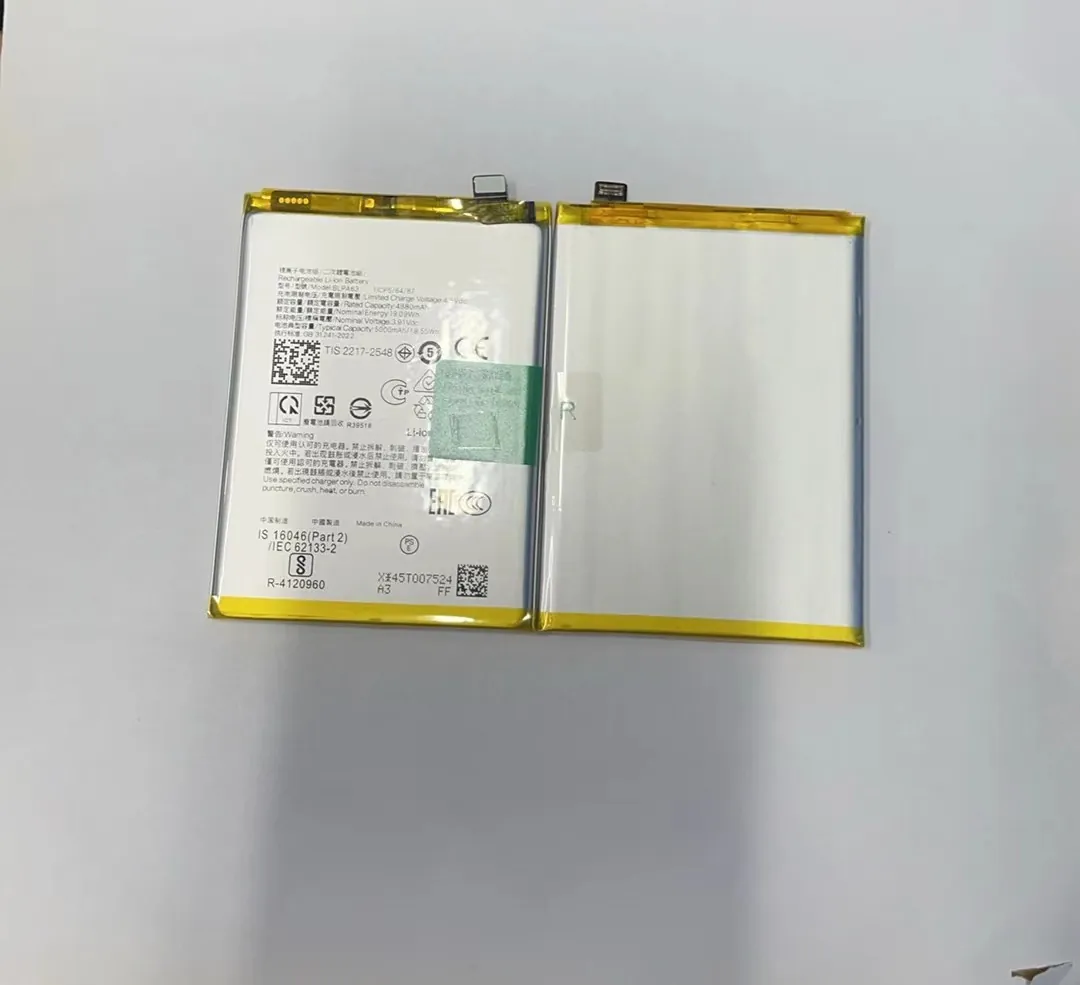
Many times, I’ve tested batteries labeled “3000 mAh” only to find them lasting far less than expected. This creates a big problem in the phone repair parts business.
To measure real mobile phone battery capacity, I use hardware testers, phone system data, and battery health checks. Each method tells part of the full story.
If you’re in the phone parts business or just want to know what you’re really getting, you’ll want to read on.
What tools can test battery capacity accurately?
I used to trust only the label on a battery. But after several bad shipments and disappointed clients, I realized that wasn’t enough.
The most accurate way to test battery capacity is by using hardware testers that measure actual charge and discharge cycles.

When I test phone batteries for wholesale, I use dedicated battery testers. These machines charge the battery fully, then discharge it while measuring the total energy it gives out. That result, shown in mAh, is the real capacity.
There are also ways to test using the phone itself. Many phones have a hidden service menu or can show battery stats through system commands. These readings come from the battery’s internal chip, which tracks capacity and health. However, the numbers are sometimes rough estimates, not exact.
Here’s a simple comparison of methods I use:
| Method | Accuracy | Best For | My Use Case |
|---|---|---|---|
| Hardware tester | High | Lab-level measurement | I use this for bulk testing orders. |
| Phone system data | Medium | Quick in-device check | I use this when inspecting samples. |
| Battery test apps | Low-Med | Quick overview at scale | I use this for fast screening. |
I follow a basic process:
- Fully charge the battery.
- Rest it for a while.
- Discharge it at constant current using a tester.
- Measure the total mAh output.
- Compare it to the battery's rated capacity.
This method works well for all brands. I’ve tested Samsung, iPhone, Xiaomi, and Huawei batteries using the same approach. If a battery gives out 95% or more of the rated mAh, I pass it. If it’s below 85%, I reject or flag it.
To be consistent, I keep discharge current and temperature stable. Any change can affect the result. Batteries perform worse in cold or hot environments, and high current may reduce the total output.
In my warehouse, every battery batch goes through this process before shipping to clients. It protects our reputation and gives customers peace of mind.
How does mAh relate to actual performance?
A client once asked me, “Why does this 4000 mAh battery drain faster than my old 3000 mAh one?” That question made me look deeper into how capacity relates to performance.
mAh shows how much charge a battery can store, but real performance depends on power use, phone efficiency, and other factors.

The mAh, or milliamp-hour, is the unit for electric charge. It tells how much current a battery can deliver over time. In simple terms, a 3000 mAh battery can give 3000 mA for one hour, or 1000 mA for three hours.
But this is just theory. Real-life use is different. A battery may have high mAh, but if the phone uses a lot of power, the battery will still drain fast. That’s why a well-optimized phone with lower mAh can last longer than a poorly-optimized one with higher mAh.
Many things affect power use:
- Screen brightness
- App activity
- Mobile signal strength
- Temperature
- Processor type
Here’s a table to show how mAh and performance differ in practice:
| Battery (mAh) | Screen-on Time | Notes |
|---|---|---|
| 3000 | 5 hours | On basic use |
| 4000 | 6 hours | With heavy app use |
| 5000 | 5.5 hours | Due to background high load |
I’ve tested different brands and models. Some phones with large batteries still drain fast because of poor software optimization. Others with small batteries perform better.
So, when I test a battery, I don’t just check the number. I also test it in the actual phone model. That way, I know how it performs in real use.
Can apps measure real battery health?
When I started, I relied on apps to check battery health. They’re fast and easy. But later, I learned their results aren’t always accurate.
Apps can estimate battery health, but their results are often based on software readings and may not match actual hardware tests.

Apps like AccuBattery or Battery Testing read data from the phone’s battery chip. They may show:
- Health percentage
- Cycle count
- Charge speed
- Estimated capacity
They are useful for basic checks. I use them when I need to test many devices quickly. But I don’t make final decisions based on these apps.
Why? Because:
- Apps can’t measure real capacity; they only read stored data.
- These readings depend on how the phone was used.
- If the phone software is old or modified, the readings may be wrong.
- Temperature, battery age, and app bugs also affect accuracy.
In one test, the same phone showed 92% capacity one day and 85% the next. The hardware test showed 90%. This inconsistency is why I only use apps as a first step.
Here’s how I use apps in my workflow:
- Open the app and check battery health.
- If below 80%, I do further tests.
- If above 90%, I continue with physical inspection.
- I use hardware testers to confirm the actual mAh.
So, apps are good for fast screening but not for final quality checks.
Why does battery capacity degrade over time?
Some clients ask why a phone battery that was good last year now drains fast. The reason is simple—batteries age.
Battery capacity drops over time due to chemical wear, temperature, and usage habits.

A battery’s chemical materials change over time. With each charge and discharge, some wear happens. This reduces the battery’s ability to hold charge.
Several things cause this:
- Charge cycles: Every time you charge from 0 to 100%, that’s one cycle. Most batteries start to wear after 300–500 cycles.
- Heat: High temperatures speed up wear. Phones left in the sun or used while charging wear faster.
- Deep discharge: Going down to 0% often damages battery cells.
- Fast charging: High voltage or current can wear out the battery faster.
Even when not used, batteries lose capacity slowly. This is called calendar aging. I’ve seen batteries stored for a year lose 5–10% of their capacity without being used.
Here’s what I usually expect:
| Battery Age | Expected Capacity | Condition |
|---|---|---|
| New (0–3 months) | 100% | Perfect |
| 1 year | 90–95% | Still good for most users |
| 2 years | 80–90% | May show shorter battery life |
| 3+ years | 70–80% or less | Not good for heavy users |
I always tell clients to expect some capacity loss, especially for refurbished or old batteries. That’s why I test each batch, even if it’s from a reliable source.
In my stockroom, I don’t keep batteries for more than 6 months. Old stock gets retested or sold at discount with clear label of expected life.
Conclusion
Measuring mobile phone battery capacity isn’t about just reading a label. I use proper tools, compare mAh to real use, and always plan for aging. This keeps my quality stable and my customers happy.
