

I think many people feel stressed when they prepare a new phone battery, because they fear wrong steps may shorten its life. I understand this feeling well.
You can prepare a new mobile phone battery by checking its health, doing a short calibration, and running a few gentle charge cycles to help the system read it correctly. These steps help the battery start in a stable state.
I want to guide you through these steps in a simple way, so you can feel safe and confident before you use a new battery.
What steps ready a new battery?
I know many people feel confused when they hold a new battery. They worry about wrong charging steps, wrong testing, or hidden issues. I felt the same the first time I installed one.
You can ready a new battery by checking its physical condition, charging it to around 60–80%, and letting the device read it through a few normal use cycles. This helps the system understand the battery in a clear way.

I want to go deeper into the steps that help me prepare a new mobile phone battery in a smooth and safe way. I learned these steps through many real repairs, and each step keeps my device stable.
Step-by-step process I use
I first check the battery for any marks, bends, or swelling. A safe battery looks flat, clean, and firm. I make sure the label is correct and the connector sits tight. I also check the date code to make sure the battery is fresh.
Then I install the battery gently. I press the connector in a straight way. I avoid bending the flex cable. I close the phone only after I check that the screen lights up and the phone boots without stress.
When I turn on the phone for the first time, I let it sit for a few minutes. I avoid heavy apps. I want the system to read the new battery in a calm state.
After that, I charge the phone to around 60–80%. I choose this range because it keeps the cells relaxed. I unplug the charger when it reaches the target. I avoid 100% in the early stage because it creates pressure on the cells.
I then use the phone normally for one day. I let the battery drain in a natural way. I avoid fast charging at this moment. I avoid games and heavy apps. I use normal tasks like messages, calls, and browsing.
After the first day, I charge again to around 80%. I repeat this gentle pattern for two or three cycles. This helps the system read the new battery smoothly.
Table: Steps to prepare a new mobile phone battery
| Step | Action | Reason |
|---|---|---|
| 1 | Check physical condition | Avoid risk from hidden damage |
| 2 | Install gently | Protect connector and flex cable |
| 3 | Boot and idle | Let system read battery calmly |
| 4 | Charge to 60–80% | Keep cell pressure low |
| 5 | Use lightly | Allow smooth early cycles |
| 6 | Repeat for 2–3 cycles | Help system understand battery |
I follow these steps every time, because they keep the battery stable from day one.
How does calibration improve accuracy?
Many people feel worried when the battery percentage jumps up and down. I felt the same frustration when my number dropped even though I barely used the phone. I later learned that calibration fixes this in many cases.
Calibration improves accuracy by helping the phone’s system match the battery’s true charge level with the on-screen percentage. It resets confusion and brings the readings back in line.
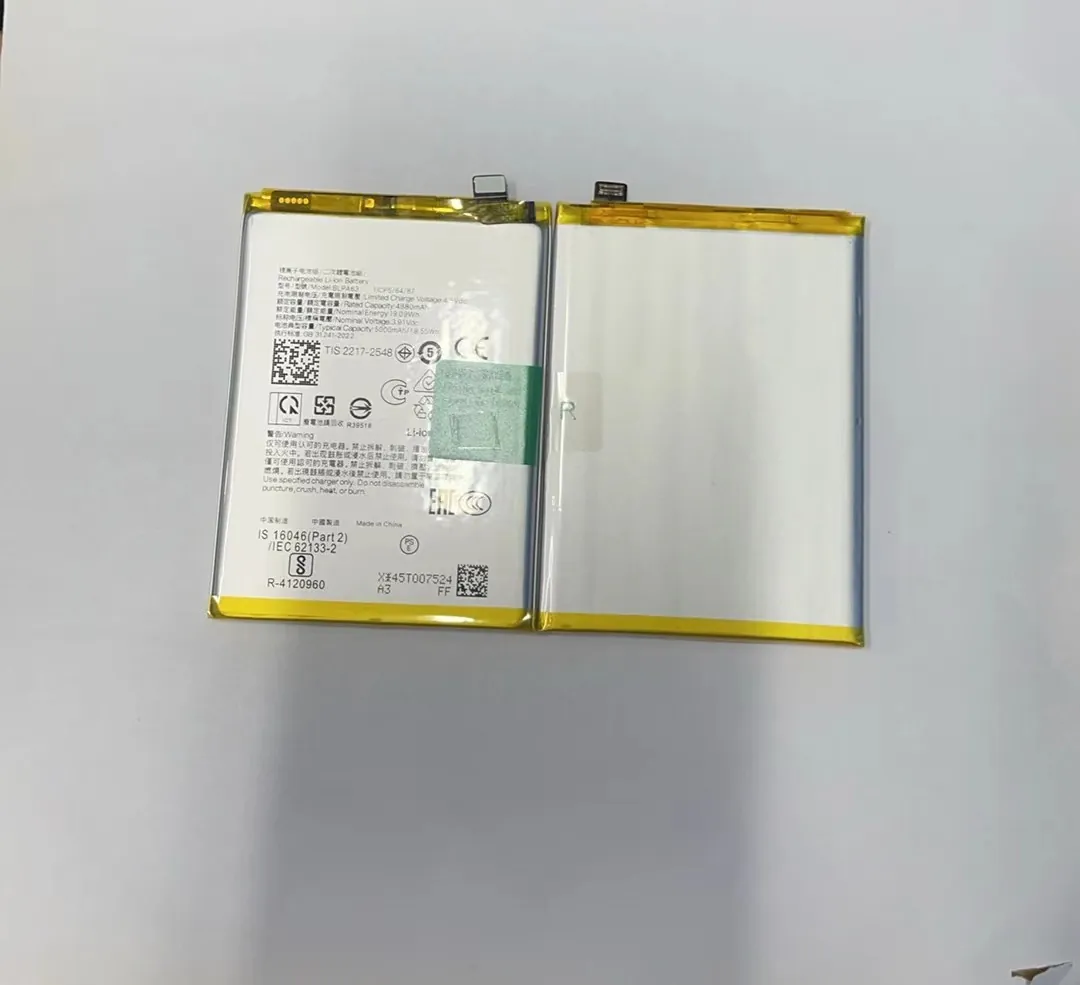
I want to explain why calibration helps me keep the battery readings smooth and predictable.
Why calibration matters for me
I learned that a phone reads the battery through a smart chip. This chip tracks voltage, temperature, age, and usage. When a new battery enters the device, the system sometimes uses old data from the previous battery. This mismatch creates wrong readings. It may show 30% but drop to 10% in one minute. It may stay stuck at a number. It may shut down early.
When I calibrate the battery, I let the device clear the old data. I give it a full picture of the new battery. This helps the system draw a new curve that matches real performance.
How I calibrate in a simple way
I avoid extreme methods. I do not drain the battery to 0%. Instead, I let it go down to around 10–15% in a normal way. Then I charge it to 100% in one slow, steady session. I wait for the phone to remain at 100% for about 20–30 minutes. This gives the system time to refresh the battery map.
I only do this one or two times. I do not repeat calibration often, because it can stress the cells. I do it only when the percentage feels wrong.
Table: Calibration facts I keep in mind
| Item | Explanation |
|---|---|
| Purpose | Match percentage with real capacity |
| Best time | After installing a new battery |
| Safe range | 10–15% to 100% |
| Frequency | Only when readings feel wrong |
| Benefit | Stable percentage behavior |
This simple method keeps the battery readings honest and smooth.
Why initial cycles matter?
Many people think a new battery can handle anything. They charge it all night. They drain it fully. They run heavy apps. I also made these mistakes earlier. Later, I learned that the first few cycles shape the battery’s stability.
Initial cycles matter because they help the new battery settle, balance, and form a stable pattern of charging and discharging that affects long-term health.

I want to explain why these early cycles shape the battery’s future behavior.
How early cycles shape performance
A new lithium battery arrives in a semi-stable state. The cells need a few cycles to reach their normal balance. The internal chemical layers form in a gentle way when the battery goes through mild use. These first cycles help the battery find its stable voltage range and discharge curve.
When people stress the battery early with heavy apps, high temperatures, or fast charging, the cell structure may settle in a rough way. This can shorten its active life. It may also cause uneven performance, quick drops, or heat issues.
I choose light tasks in the early cycles. I avoid heat. I avoid fast charging. I keep the charge range between 20% and 80% for the first few days. This pattern lets the battery stabilize.
What I avoid in early cycles
I avoid long gaming. I avoid video streaming for hours. I avoid hot environments. I avoid charging from power banks with unstable output. I avoid wireless charging in these early days because it creates extra heat.
How many cycles I use
I usually run two or three mild cycles. These cycles give the battery enough time to settle. After that, I return to normal habits.
These early cycles may feel simple, but they make the battery more predictable in the long term.
Which habits support proper setup?
Many people prepare the battery well at the start but then fall into bad habits. I also struggled with this earlier. Later, I learned that stable habits keep the battery healthy through the early days and beyond.
Good habits such as gentle charging, avoiding heat, and keeping the battery above 20% help the setup go smoothly and protect long-term performance.

I want to share the habits that help me protect the battery after installation.
Daily habits that help me
I keep the battery in a middle range during early days. I plug it in around 20–30%. I unplug around 80%. This range keeps the cells relaxed. It avoids stress at low and high ends.
I use slow charging when I can. Fast charging creates heat. Heat hurts batteries more than any other factor. I learned this lesson through many repairs.
I keep the phone in a cool place. I avoid charging under sunlight. I avoid keeping the phone in a pocket while charging. I keep it on a table with airflow.
I avoid heavy apps when the phone feels warm. I stop charging when the phone gets too hot. I check the cable and adapter to make sure they stay in good shape.
H3: Simple habits I follow every day
I use mild tasks most of the time. I avoid draining the battery too low. I avoid overnight charging when I can. I use original or high-quality cables.
H3: Habits that help with long-term health
I clean the charging port when needed. I avoid rough bending of cables. I restart the phone once in a while to keep the system stable. I update the software when new updates help power management.
These small habits help the battery work in a stable state from the very beginning.
Conclusion
A new mobile phone battery needs care in the early stage. When I prepare it with gentle steps, simple calibration, and stable habits, it works in a smooth way. These steps help the battery stay healthy for a long time.
