

A dead battery can kill your device when you need it most. You might feel stuck when the screen goes blank. This guide shows simple steps to swap the old battery and bring your Phoenix 3 back to life.
This guide shows what tools you need, how to open the phone safely, why you must use model-specific instructions, and where to get a good replacement battery.
Keep reading to learn step by step how to do it right and avoid common mistakes.
What tools are needed for replacement?
Phones are small and packed. Without the right tools, you might break parts by accident.
You need a set of precision tools and a safe workspace.

It helps a lot to have the correct tools before you start. Here is a simple table of common tools you may need:
| Tool | Purpose |
|---|---|
| Small Phillips or Pentalobe screwdriver | To remove screws from case or back cover |
| Plastic prying tools / plastic spudger | To gently separate case parts without scratching |
| Suction cup (optional) | To lift back cover or screen if needed |
| Tweezers | To pick up small screws or connectors |
| Anti‑static mat or wrist strap (optional) | To prevent static damage to electronics |
| Clean cloth & small container | To hold screws, avoid losing tiny parts |
A clean, well‑lit workspace also counts as a tool. Use a flat desk, good light, and a tray to catch screws.
If you do not have these tools, consider a small electronics repair kit. These kits often cost little and contain all necessary items. They protect your phone and help you work carefully. For example, a plastic spudger is far safer than a metal knife. A metal tool may scratch or crack plastic. A screwdriver that fits exactly will avoid ruining screw heads.
Also, you may want to have the replacement battery ready before starting. That way you measure how well the battery fits before doing any re‑assembly.
You might think you can use random tools from home. That is risky. Wrong tools can break clips, strip screws, or damage battery connectors.
That is why taking time to gather proper tools is worth it. It reduces the chance of damage and makes the process smoother.
How do you safely open the device?
Opening a phone without care can break fragile parts inside. Many people underestimate how fragile a modern phone is.
You open the phone slowly, following its design lines, and avoid pulling or bending too hard.
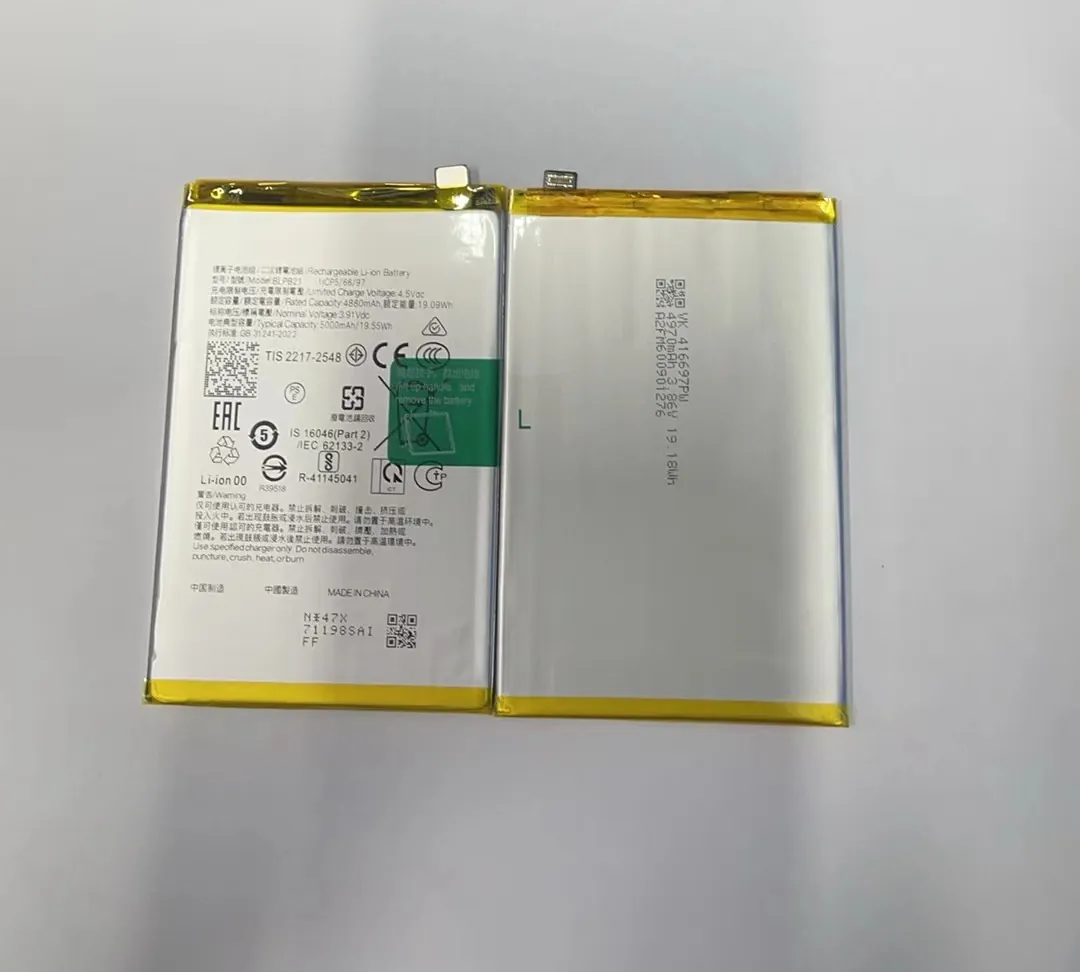
Before opening your phone, power it off completely. Remove any SIM card tray or memory card if present. Work on a firm, flat table so parts do not slip.
Start by locating screws. Many phones have screws hidden under small plastic covers or rubber plugs. Use a correct screwdriver to remove them. Keep screws in a small container so none get lost.
Once screws are out, use a plastic prying tool or suction cup. Pry from corners or edges where seams exist. Do not use metal tools or force parts apart. Use gentle pressure. The back cover or screen usually clips into place, so gentle, even prying works best.
After you lift the back cover or screen slightly, stop and look for cables or connectors. Some parts may still attach inside. Do not yank the cover off. Instead, find the connector, and use plastic tweezers or spudger to gently release it.
Also watch battery cables. The battery is often glued or taped. Do not pull by the cable. Use a plastic card or tool to lift the battery slowly. If the battery swells or is damaged, stop. Do not bend or puncture it.
Always wear anti‑static protection if possible. A static discharge can kill electronic parts. If you have a wrist strap or anti‑static mat, use it.
If you feel stuck or a part resists, stop. Check for hidden screws or clips. Forcing parts often damages the case or screen. Take your time.
In short, treat the phone gently. Think of it as delicate glass and plastic. Slow, careful moves can save a lot of repair problems.
Why follow model-specific guides?
Phones from different brands or even different models of the same brand vary a lot. Using the wrong guide can cause damage.
A model-specific guide matches exactly where screws, clips, and cables are placed for your phone.

Using a general repair guide or instructions for another model is risky. Phones often differ in case shape, screw type, battery size, connector location, and adhesive strength. If you follow a wrong guide, you may remove the wrong screws or pry at the wrong places. That can damage screen, casing, or internals.
For example, one phone might hide screws under rubber plugs. Another might use clips invisible from outside. Some use glued batteries. Others use battery connectors under shields. Only a model-specific guide shows the exact layout. That saves time and avoids damage.
Also, the battery for your model might have unique shape, size, or connector type. If you open the phone but use the wrong battery, it might not fit. Worse, the connector may not align. That can break pins or cause short circuits.
Model‑specific guides help you work in the right order. They tell you which screws to remove first, which clips to release next, and when to handle cables. That order matters. If you free clips in wrong order, you may bend fragile parts or stress cables.
Here is a small comparison of risks when using general vs model‑specific instructions:
| Risk | General Guide | Model‑Specific Guide |
|---|---|---|
| Wrong screws removed | High | Low |
| Damage to clips or connectors | High | Low |
| Battery fit / connector mismatch | Possible | Matched |
| Hidden adhesives mishandled | Possible | Shown |
| Screen/case cracking | More likely | Less likely |
In short, a model‑specific guide is like a map to your phone’s guts. Without it, you walk blind. That is why you should always find instructions made for your exact Phoenix 3 or its close version.
If you cannot find a model-specific guide online, it may be safer to wait or look for professional help.
Where can replacement batteries be found?
Finding a good battery is as important as doing the replacement right. A low-quality battery can fail early or cause damage.
You can find replacement batteries from trusted online sellers, repair‑part shops, or official distributors.

Here are common sources and tips on how to pick a proper battery:
| Source | What to check | Notes |
|---|---|---|
| Official manufacturer or certified reseller | Battery model number, warranty, compatibility info | Best quality + warranty support |
| Specialist phone‑part stores (online or local) | Seller reputation, customer reviews, battery specs | Good balance price/quality |
| Large e‑commerce marketplaces | Compatibility listing, return policy, seller rating | Check carefully before order |
| Local phone‑repair shops | Ask them for spare battery directly | You can inspect before buying |
Tips for choosing a battery
- Check that the battery model number matches Phoenix 3 or its exact variant.
- Look for reviews or feedback about capacity, longevity, and reliability.
- Prefer batteries that have protection circuits and certifications.
- Verify that connector type, battery size, and voltage match original battery.
- If shipping internationally, check customs regulations and shipping time.
Often you can send the original battery number or part code to a seller to confirm. When you buy from a store, keep the packaging and invoice. That helps if you need a replacement or warranty claim.
If you repair phones for others or run a small shop, buying from reliable suppliers helps build trust with your customers. Good batteries mean less risk of returns and complaints.
Finally, avoid very cheap batteries with no spec sheet or pictures. They may be old stock, recycled cells, or unsafe. Better pay a little more for a new, tested battery.
Conclusion
Replacing battery for Phoenix 3 is doable when you have the right tools, follow a correct guide, and pick a reliable battery. Take time, work gently, and double‑check compatibility before you start.
