
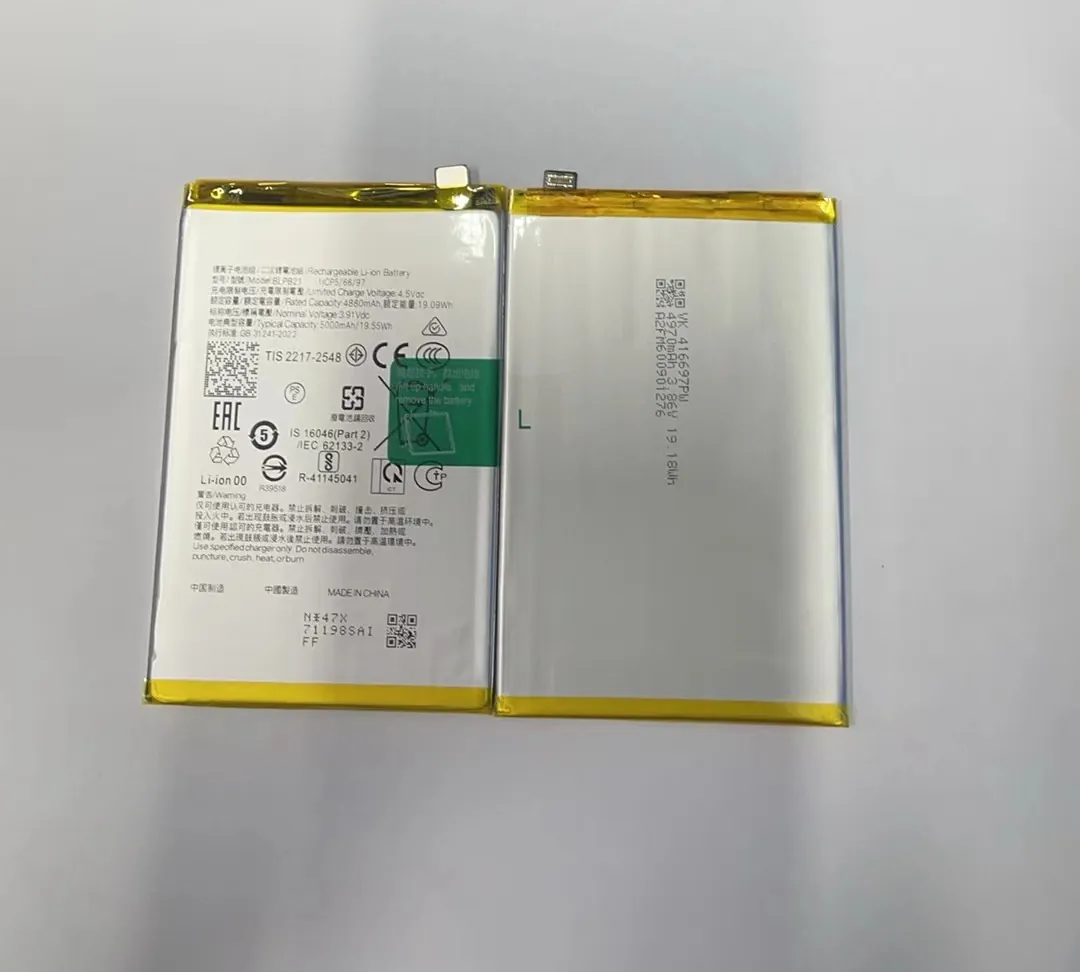
Replacing a phone battery sounds simple, but many people end up damaging their phones or using low-quality batteries. Don't risk your device without knowing the basics.
Yes, you can replace a mobile phone battery on your own, but only if you use the right tools, follow safety steps, and use a reliable replacement battery.
Many phones today don’t have removable batteries. This means the process needs care, some basic tools, and a trusted supplier. Read on to learn how to do it the smart way.
What tools are needed to replace a phone battery?
Battery issues are annoying. Your phone shuts off early, takes forever to charge, or even swells up. Many people think replacing a battery is hard. It’s not—with the right tools.
You need screwdrivers, plastic prying tools, suction cups, tweezers, and adhesive strips to safely replace a phone battery.

Battery replacement needs care. The tools you use can make the job smooth—or damage your phone. Here's a closer look at the most common tools used in a battery replacement:
Common Tools List
| Tool | Purpose |
|---|---|
| Pentalobe screwdriver | Open the phone case (used for iPhones) |
| Phillips screwdriver | Remove battery and shield screws |
| Plastic pry tool | Gently lift the screen and battery without damage |
| Suction cup | Separate the screen from the phone body |
| Tweezers | Handle small screws and cables |
| Battery adhesive | Secure new battery in place |
| Heat gun or pad | Soften adhesive to remove screen |
Always avoid metal tools when removing the battery. They can puncture it and cause fire or smoke. Instead, use plastic tools. Heat helps loosen the adhesive under the screen or battery, making it easier to open the phone.
If you’re doing this for the first time, consider buying a battery replacement kit. These kits often include all the tools you need, along with the battery itself. But be sure the kit is from a trusted seller. Some cheap kits have poor-quality tools that break easily or damage your phone.
Where can you buy genuine mobile phone batteries?
You just opened your phone and found a swollen or dead battery. Replacing it seems easy—until you realize the battery you ordered doesn't last or doesn't fit.
You can buy genuine mobile phone batteries from verified online suppliers, brand service centers, or trusted wholesale distributors.

Not every battery sold online is real. Many sellers claim their batteries are original or OEM, but they’re often low-quality copies. These fake batteries may charge slowly, heat up quickly, or die after a few weeks. So where should you buy batteries?
Trusted Sources for Buying Phone Batteries
| Source | Pros | Cons |
|---|---|---|
| Official brand service centers | 100% genuine, tested batteries | Higher price, limited availability |
| Trusted B2B suppliers | Good quality, wholesale prices | Minimum order quantity may apply |
| Specialist repair parts websites | Many models, tested parts | Hard to verify for new customers |
| Amazon / eBay (with top-rated sellers) | Easy to buy, wide range | Many fakes, must check reviews |
If you're buying in bulk or need many types of batteries, a verified wholesale supplier is best. Many suppliers test their products before shipping and offer packaging customization for your business.
One way to know if a battery is genuine is by checking its cycle rating, capacity (mAh), and product label. If these look off or the battery is unusually light, it may be fake.
Choose sellers who offer return policies, warranties, or certifications. A 1-year warranty often shows the seller stands behind their product.
Is it safe to replace the battery yourself?
Many people fear opening their phone. Stories of phones catching fire or users getting shocked are all over the internet. Is this fear justified?
Yes, it's generally safe to replace a phone battery yourself if you follow safety steps, avoid metal tools, and use a tested battery.

Let’s be clear: phone batteries are not toys. They store energy. If punctured, overheated, or poorly installed, they can swell, leak, or catch fire. But with careful steps, many users replace batteries without problems.
Safety Tips for DIY Battery Replacement
- Power off the phone completely before starting.
- Use plastic tools to avoid puncturing or shorting the battery.
- Work on a clean, dry, flat surface with no static electricity.
- Do not force any part—if it’s stuck, use heat, not pressure.
- Don’t bend or damage the battery during removal.
- Use proper adhesive strips to secure the new battery.
- Test before sealing the phone. Make sure the new battery charges and powers on the device.
Avoid doing this near flammable materials. If the battery looks swollen, don’t try to remove it alone. Take it to a professional. Swollen batteries are dangerous and may explode when pried.
If you’re nervous or unsure, it’s okay to get help. But if you follow the steps, many phone models like iPhone 6 to X, Samsung Galaxy A series, or Xiaomi models are easy to open and fix.
Should you replace battery or buy a new phone?
Your phone doesn’t last a day on one charge. Apps run slow. Maybe it’s time for a new phone—or just a new battery? The choice is not always easy.
You should replace the battery if your phone is less than 3-4 years old and works well apart from battery life.

Buying a new phone can be exciting, but expensive. Many phones today still run fast after years of use. The only problem? The battery. Replacing it can feel like getting a brand-new phone for a small price.
When to Replace the Battery
| Situation | Best Option |
|---|---|
| Phone slows down only because of battery | Replace battery |
| Phone is under 4 years old, no other issues | Replace battery |
| You want to save money | Replace battery |
| Battery health below 80% but no hardware issues | Replace battery |
When to Buy a New Phone
| Situation | Best Option |
|---|---|
| Phone screen, camera, and battery all damaged | Buy new phone |
| Phone is over 5 years old and very slow | Buy new phone |
| New apps no longer supported | Buy new phone |
| Repair costs close to new phone price | Buy new phone |
Replacing a battery is often less than 10% of the cost of a new phone. It's better for the environment too. If your device works fine but the battery drains quickly, replace the battery first. You’ll be surprised how much better your phone feels.
Conclusion
Replacing a phone battery can be simple if you use the right tools, buy from trusted sources, and follow basic safety tips. It's a cost-effective way to extend your phone's life.
