

I see many people ask what to do when they get a new mobile phone battery. A new battery often raises questions about first steps, charging, and how to make it last.
Using a new mobile phone battery the right way helps it stay healthy longer. This article walks through what to do first, how to charge, key settings, and if break‑in cycles matter.
A new battery means a fresh start. But some habits can help it last longer and avoid early wear. The tips here are simple and practical. They fit everyday users, even if you are not a phone expert. Let’s explore what to do first and how to make sure the battery stays strong over time.
What first steps should you take after installing a new battery?
Getting a new battery is exciting, but you may not know what to do first. The right first steps help the battery settle and work well from day one.
After installing a new mobile phone battery, check it fits well, power on the phone, update system if needed, and verify basic settings and connectivity before heavy use.
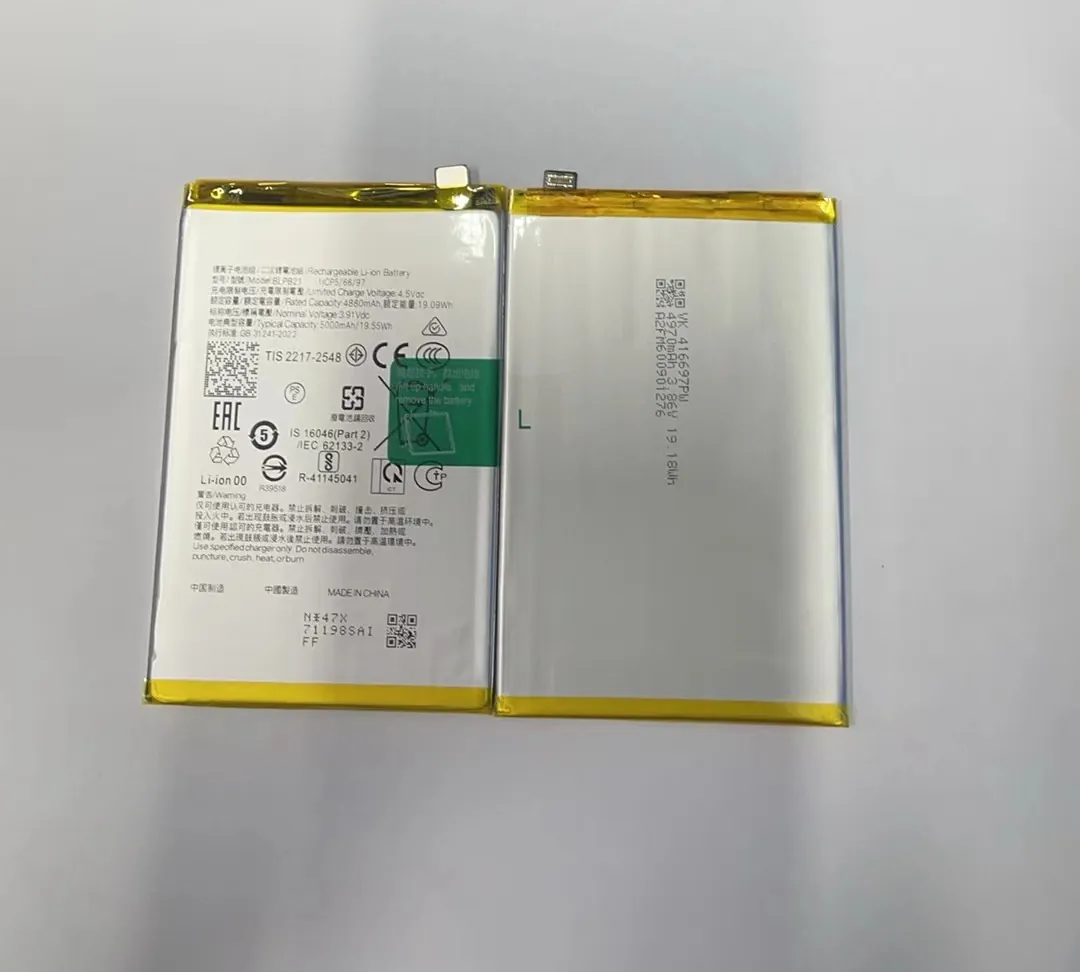
Check installation and fit
Make sure the battery is installed correctly if your phone allows user replacement. A poor connection can cause power issues, sudden shutdowns, or fast drain. Check that the battery clip, connector, or tape is secure. If the battery is inside the sealed body, trust the technician or repair service to install it properly.
Charge before first use?
Most modern batteries come at partial charge from the factory. This means they often have somewhere between 30 % and 50 % charge when new. This is normal. You do not have to fully drain or fully charge before first use, but a full charge before heavy use helps the battery profile settle.
Powering on and system checks
Power on the phone after the battery is in place. Check for system updates. Sometimes battery management settings improve after updates. Also check if your apps are up to date, because outdated apps can behave in ways that drain battery faster.
Quick checklist after installing a new battery
| Step | What to do | Why it matters |
|---|---|---|
| Installation check | Ensure proper connection | Prevents poor contact and shutdowns |
| Power on | Turn on phone | Start normal operation |
| System update | Update OS and apps | Improve stability and battery use |
| Basic settings | Check brightness, connectivity | Avoid early heavy drain |
These initial steps are simple, but they help the new battery get off to a good start. After this, you will be ready for the first charge and regular use.
How long should the first charge be?
Many people remember old advice about charging the first time. They ask if it needs a long first charge, like 8–12 hours. The truth is different for modern batteries.
Modern lithium‑ion batteries do not need a long first charge. Charging until near full once after installation is fine, but it is not necessary to leave the phone on the charger for many hours.

Lithium‑ion batteries work best when you avoid extremes. Charging to 100 % is fine, but leaving the phone at 100 % for many hours on a charger does not improve the battery. Similarly, draining to 0 % often puts stress on the battery chemistry. The idea of a long first charge came from older battery types like nickel‑cadmium. Modern batteries are different.
Simple rules for the first charge
- Charge the phone until it reaches around 80–100 % after installation.
- Do not worry if it reaches full fast; modern chargers are smart.
- Avoid leaving it plugged in overnight every day, especially at 100 %.
Why not long first charge?
Here is a small table to explain common beliefs and what really matters:
| Belief | True or False | Explanation |
|---|---|---|
| Need 8–12 hours first charge | False | Modern batteries do not need long first charge |
| Must fully drain before charging | False | Deep drain adds stress |
| Partial charges are okay | True | Better for long life |
| Avoid charging to 100 % always | Mostly true | Lower peaks help lifespan |
The first charge is important, but not in the old way people think. A normal charge to full is enough. After that, how you charge over weeks and months matters more for battery health.
What settings maximize new battery lifespan?
Once your new battery is in and charged, settings play a big role in how long it stays healthy. The way you use your phone and the settings you choose can make a big difference over time.
Optimizing key settings helps reduce power waste and keeps the battery in good condition. Focus on screen, connectivity, background activity, and power management.
Screen and display settings
The screen uses a large part of battery power in daily use. Making smart choices here has a big impact.
- Lower screen brightness or use auto‑brightness.
- Use a darker theme if your phone has OLED or AMOLED screens.
- Reduce screen timeout (how quickly the screen turns off).
- Turn off always‑on display if not needed.
Connectivity settings
Wireless connections often use power even when you are not actively using them.
- Turn off Bluetooth and Wi‑Fi when not needed.
- Turn off location services for apps that don’t need it.
- Avoid mobile data in areas with poor signal, since the phone boosts power to find network.
Background activity and app limits
Apps that run in background use power without you knowing. Some apps sync data constantly or fetch updates.
- Check battery usage to see high drain apps.
- Turn off background refresh for apps you don’t use often.
- Uninstall or disable apps you rarely use.
- Restrict push notifications for less essential apps.
System power settings
Most phones include built‑in power management features. These help reduce unnecessary drain.
| Setting area | Recommended action | Benefit |
|---|---|---|
| Screen | Lower brightness | Less display power |
| Connectivity | Turn off unused radios | Less background scanning |
| Apps | Restrict background activity | Lower hidden drain |
| Power saver | Use adaptive saver | Balanced power use |
Charging habits that support settings
Your charging habits also interact with settings. For example, if you charge at night with adaptive charging enabled, the phone can delay reaching 100 % until morning, reducing stress on the battery. Many phones now have features like “optimized charging” that adapt to your routine. Using these features helps extend overall battery life.
Setting choices are part of how you treat the battery day‑to‑day. Small changes add up over time and help keep capacity higher months and years after installation.
Are there break‑in cycles for phone batteries?
Many people ask if new batteries need a break‑in period, like running a few full charge and discharge cycles. This idea comes from older rechargeable batteries.
Modern lithium‑ion batteries do not need special break‑in cycles. However, the battery may settle into its optimal performance after a few charge cycles as the system calibrates battery reporting.

Older battery technologies sometimes needed conditioning cycles. But lithium‑ion cells used in phones today are ready to use from the factory. They do not improve capacity or lifespan from a series of full drains and charges.
What happens after a few cycles
When you use your battery through a few full daily cycles, the phone’s software learns battery behavior and estimates percentages more accurately. At first, battery percentage reporting may jump or drop more quickly. This is normal. After a week or two of regular use, reporting becomes smoother.
Why full drain is not good
Deep discharge to 0 % is not good for battery chemistry. It causes stress and can reduce lifespan over time. The battery works better when you keep it between moderate levels, like 20 % to 80 %.
Daily routine instead of break‑in
Here are practical charging habits that help more than break‑in cycles:
- Charge during the day when convenient.
- Avoid letting battery drop below 20 % often.
- Use partial charges rather than full drains.
- Enable adaptive power saving and optimized charging.
Common myths and facts
| Myth | True or False | Note |
|---|---|---|
| Need break‑in cycles | False | Modern batteries do not need it |
| Full drains help | False | Adds stress and lowers lifespan |
| Partial charges are fine | True | Best for daily use |
| Optimized charging helps | True | Reduces stress at high charge |
So there is no need to plan special break‑in sessions. The battery will perform well with normal use and good settings.
Conclusion
A new mobile phone battery works best with proper first steps, normal charging, smart settings, and good habits. Modern batteries don’t need long first charges or special break‑in. Focus on daily habits like screen use, connectivity settings, and avoiding deep drains. With the right approach, your new battery will stay healthy and last longer in everyday life.
