

If you’ve ever seen your phone screen pop out or noticed your phone case bulging, you’ve likely seen a swollen battery. This problem is more common than many people realize.
A mobile phone battery swells because of internal gas buildup caused by chemical reactions, overheating, overcharging, or physical damage. The main cause is the breakdown of lithium battery cells.
Swollen batteries are dangerous. They can leak, catch fire, or explode. Knowing what causes swelling helps you prevent accidents and protect your device.
How does heat affect battery swelling?
Too much heat can ruin a phone battery. You might leave your phone in the car, charge it on the bed, or use it under the sun. All of this builds up heat inside.
Heat speeds up chemical reactions in lithium-ion batteries. These fast reactions break down the battery’s structure, leading to gas buildup and swelling.
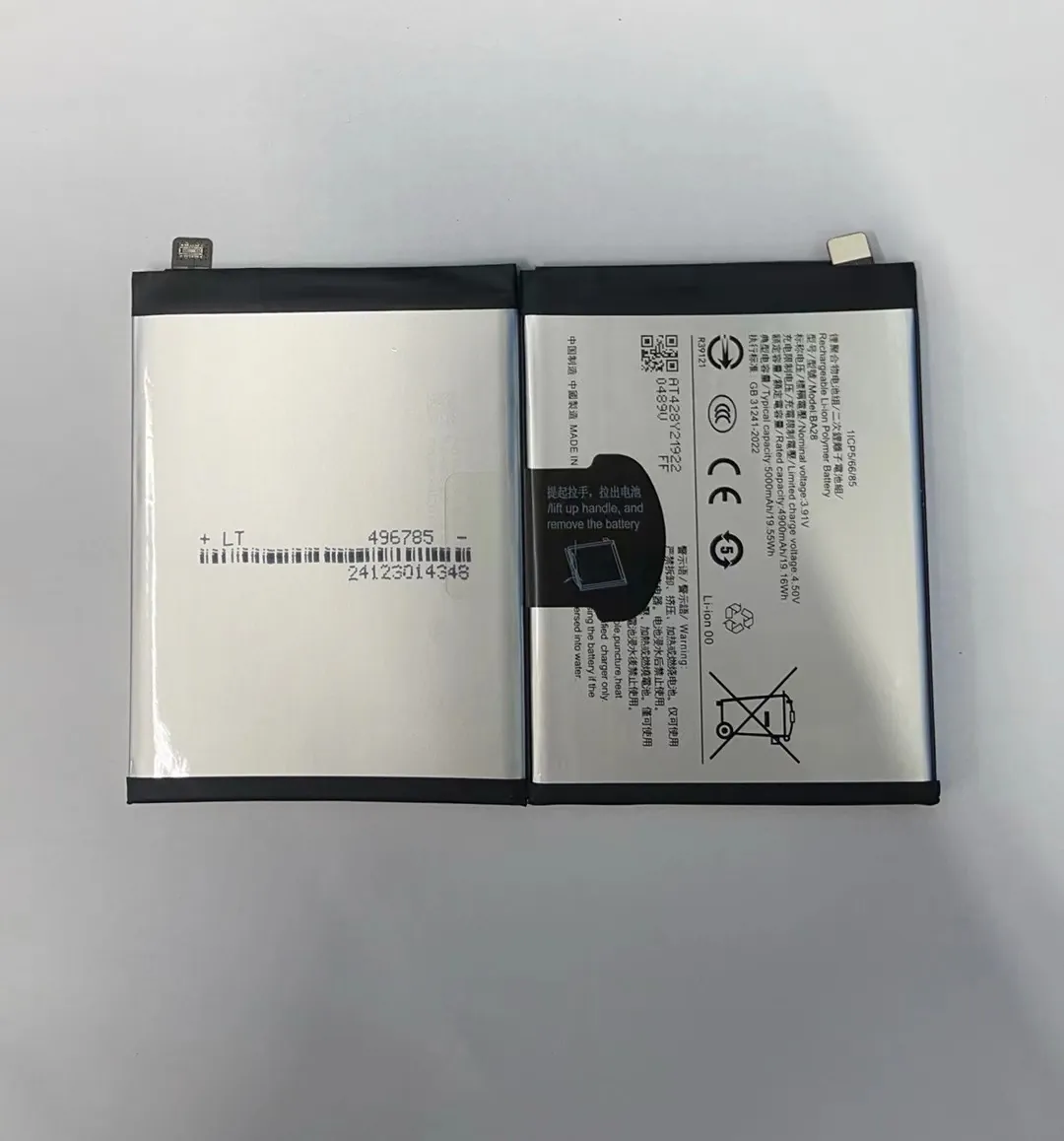
When a battery gets hot, the chemicals inside start reacting with each other in ways they’re not supposed to. Usually, a lithium-ion battery has a stable structure, with layers separated by thin films. When heat rises above safe limits, the structure weakens.
How heat causes internal damage:
- Separator failure: The separator keeps the positive and negative sides from touching. If it melts, the battery can short-circuit.
- Electrolyte breakdown: The liquid or gel inside the battery becomes unstable, creating gases.
- Metal reactions: Heat makes metals inside the cell more active, which releases more energy and causes swelling.
Common heat sources that lead to swelling:
| Source of Heat | Example |
|---|---|
| Direct sunlight | Using phone under sun for GPS or video |
| Poor ventilation | Charging phone under a pillow or blanket |
| Heavy apps usage | Gaming, video editing while charging |
| Faulty chargers | Cheap adapters without heat control circuits |
The more often a battery heats up, the more likely it will start to swell. Even small heat exposure over time can cause permanent internal damage. I’ve had customers who used their phones in hot cars during summer and came back with batteries twice their normal size.
Why do lithium cells expand over time?
Even if you don’t drop your phone or expose it to heat, your battery can still swell. That’s because lithium batteries age naturally.
Lithium cells expand due to natural chemical wear, where repeated charging and discharging degrades internal materials, forming gas and causing swelling.

Inside a lithium battery, ions move between the positive and negative electrodes. This movement is safe and normal. But each time this happens, tiny side reactions occur. These reactions slowly damage the electrodes and create unwanted compounds.
What happens inside an aging battery:
- Formation of SEI (Solid Electrolyte Interface): A thin layer forms to protect the anode. But over time, it thickens and traps lithium ions.
- Loss of electrolyte: Some of the liquid or gel dries up, leading to more internal resistance and heat.
- Gas generation: Side reactions create gas molecules that have nowhere to go. So, they puff up the battery.
This process takes time. On average, a battery has 300–500 full charge cycles before performance drops. After that, swelling becomes more likely.
Battery aging symptoms:
| Sign | What It Means |
|---|---|
| Shorter usage time | Battery can't hold charge like before |
| Hot while charging | Resistance increases heat |
| Phone bulging slightly | Gas is building up |
| Odd smell | Electrolyte might be leaking inside |
When I inspect old batteries, the puffiness is often most visible around 12–18 months of daily use. Even if you handle your phone carefully, chemistry doesn’t stop. It’s just a matter of time.
Can charging habits trigger battery bloating?
Yes, your charging habits play a huge role. Fast chargers, overnight charging, or using your phone while charging—these can all stress the battery.
Bad charging habits, like overcharging or using fast chargers without proper controls, can cause swelling by heating the battery or disrupting its charge balance.

A battery is not a simple container. It has complex layers that depend on stable voltage and temperature. When you keep it plugged in too long or use power-hungry apps during charging, you overload the system.
Most damaging charging habits:
- Overnight charging: Even though modern phones stop charging at 100%, trickle charges keep pushing power in.
- Using phone while charging: Generates double heat—from the app and the charger.
- Non-original chargers: Cheap cables and adapters may lack voltage control.
- Fast charging repeatedly: Pumps in high current that causes micro-damage over time.
How it leads to bloating:
| Habit | Result |
|---|---|
| Charging past 100% | Gas generation from electrolyte stress |
| Frequent fast charging | Higher internal pressure and wear |
| Charging with cheap tools | No thermal control, voltage spikes |
| Using while charging | Temperature spikes cause separator damage |
I had a French client who bought hundreds of fast chargers for his repair shops. Six months later, he reported dozens of battery complaints. When we traced the issue, most of the batteries showed swelling from repeated fast charging without pause.
So, if you're charging your phone all night and watching Netflix while it’s plugged in, your battery is slowly getting weaker inside—even if it still works fine for now.
Which signs indicate a swollen battery risk?
Many users only notice swelling when the phone won’t close or when the screen lifts up. But the signs start much earlier.
Warning signs of swelling include overheating, physical bulging, short battery life, unusual smells, or the phone not sitting flat.

You don’t need tools to spot the early signs. You can use your eyes, nose, and hands to check.
Early signs of swelling:
- Phone gets warm even when idle: The battery might be struggling internally.
- Shorter screen-on time: A degraded battery discharges faster.
- Charging takes longer: Rising resistance inside slows down charging.
- Screen separates from frame: Classic sign of battery swelling.
- Soft back panel or bulge: You can feel the bubble by pressing lightly.
Confirming swelling without opening the phone:
| Check This | What You Might Notice |
|---|---|
| Phone shape | Doesn’t sit flat on a table |
| Smell | Chemical or sweet smell near the charging port |
| Battery health (in settings) | Shows “service recommended” or drops fast |
| Side buttons | Feel stiff or misaligned |
If you're unsure, take your phone to a technician. Don’t press on the swollen part or try to puncture it. The gas inside is flammable and toxic.
In my shop, I’ve seen customers tape their phones shut or apply pressure to close a bulging screen. This is risky and should never be done. Once a battery swells, replacement is the only safe option.
Conclusion
Battery swelling comes from gas buildup inside the cell. Heat, aging, bad charging habits, and physical stress are the main causes. Look for early signs like bulging, heat, or quick discharging. Replace swollen batteries quickly to avoid serious damage.
