

I’ve been frustrated when my flip phone’s battery dies mid‑day, and I imagine you have too. Finding the right replacement for a T‑Mobile flip phone can feel like a headache.
You can get replacement batteries from national electronics stores, mobile carriers, online marketplaces and specialized repair shops — as long as you confirm compatibility, check model numbers and pick trustworthy sellers.
Let’s walk through where to look, how to verify the parts, why the model numbers matter and how to pick genuine parts from reliable sellers.
What stores carry T‑Mobile batteries?
Imagine walking into a store with your phone in hand, ready to swap the battery — that peace of mind matters.
Stores such as Batteries Plus Bulbs, general repair chains and even mobile carrier stores can stock replacement batteries or offer battery‑swap services.

I found that Batteries Plus lists “T‑Mobile cell phone battery” as a category in their U.S. stores. That means if you have a flip phone on T‑Mobile, you can often walk into one of their stores. The advantage is you get in‑person help, you can ask about compatibility on‑site, and you may even leave with the battery installed.
On the flip side, sometimes the staff may not have the exact battery for an older flip phone model, because many stores focus on smartphones. So it’s wise to call ahead, mention your exact model, and ask them to check inventory.
You can also visit big‑box electronics / mobile service stores. For example, uBreakiFix by Asurion offers battery replacements among their smartphone services. While they may be more oriented to smartphones, they can often source or order parts for flip phones too.
Another route is going directly to your carrier store (T‑Mobile store) or checking if they have in‑store repair/parts programs. Even if a battery isn’t in‑stock, the store might order it for you.
Store Type Comparison
| Store type | What they offer | What to ask |
|---|---|---|
| Battery specialty store | Wide battery selection, may install | Do you have my model battery? Installation? |
| Repair chain / tech‑service | Can source and install batteries | Turnaround time? Warranty? |
| T‑Mobile store | Possibly OEM parts or repair programs | Can you order my flip phone battery? |
How do you confirm compatibility?
You buy what you think is the right battery… and later find out it doesn’t fit or drains fast — that’s the problem we want to avoid.
Compatibility means matching the phone’s model number, battery part number, size, voltage and connector — anything less risks failure or damage.

When I replaced batteries for multiple older phones, I learned that just saying “flip phone battery for T‑Mobile” isn’t enough. You must check your exact phone model (like SGH‑T409), and then check the battery’s part number. A battery made for a smartphone won’t necessarily fit or work safely in a flip phone.
Key Compatibility Steps
1. Confirm your phone model
Look in the phone’s Settings or under the battery cover to find the model number.
2. Match the battery part number and specs
Look for printed numbers on your original battery (like Li3730T42P3H6544A2) and match them.
3. Check voltage, capacity, connector shape
Ensure specs like 3.7 V and 1200 mAh are close or identical. The connector shape must also match.
4. Read seller’s compatibility list
Listings should include specific models. If your model isn’t there, don’t buy it.
5. Beware dimensions
Flip phones are small. Even a slightly thicker battery might prevent the cover from closing.
Compatibility Checklist
| What to check | Why it matters |
|---|---|
| Phone model number | Matches form and internal layout |
| Battery part number | Exact electrical match |
| Voltage and capacity | Safe performance and battery life |
| Physical size and thickness | Proper fit inside the flip phone |
| Connector shape and pins | Prevent short-circuit or connection issues |
Why model numbers matter?
Ignoring model numbers is like putting diesel in a gasoline engine — maybe it fits but it’s wrong.
Model numbers ensure you get the correct fit, correct electrical specs and correct connector — all of which prevent failures or safety risks.

When I worked with older phones, I saw many users guess and run into problems. Here’s why model numbers matter:
Fit & form factor
Even if a battery lists “for T‑Mobile”, if it’s not your specific flip model, it may be too thick or long.
Connector & pin count
Some batteries have different pin layouts. Using a mismatched connector can short your device or damage the mainboard.
Electrical specs
You need the right voltage (e.g., 3.7V) and a suitable capacity. Overpowered or underpowered batteries cause problems.
Internal compatibility
Two phones may look identical but use different batteries due to hardware revisions. That’s why exact model numbers are critical.
Model-Number Table
| Item | Reason |
|---|---|
| Exact phone model | Matches physical shape and battery layout |
| Battery part number | Ensures correct internal wiring |
| Specs (V and mAh) | Avoids under/overpowering the phone |
| Size and fit | Avoids forced fit or overheating |
| Pin configuration | Prevents damage from wrong connectors |
Which sellers offer genuine parts?
I once bought a “cheap battery” that died in a week — because it wasn’t genuine. So picking a trustworthy seller matters.
Look for sellers who clearly show model/part numbers, list compatibility, have good reviews, and offer warranty or return policy — these indicate parts are likely genuine or high quality.
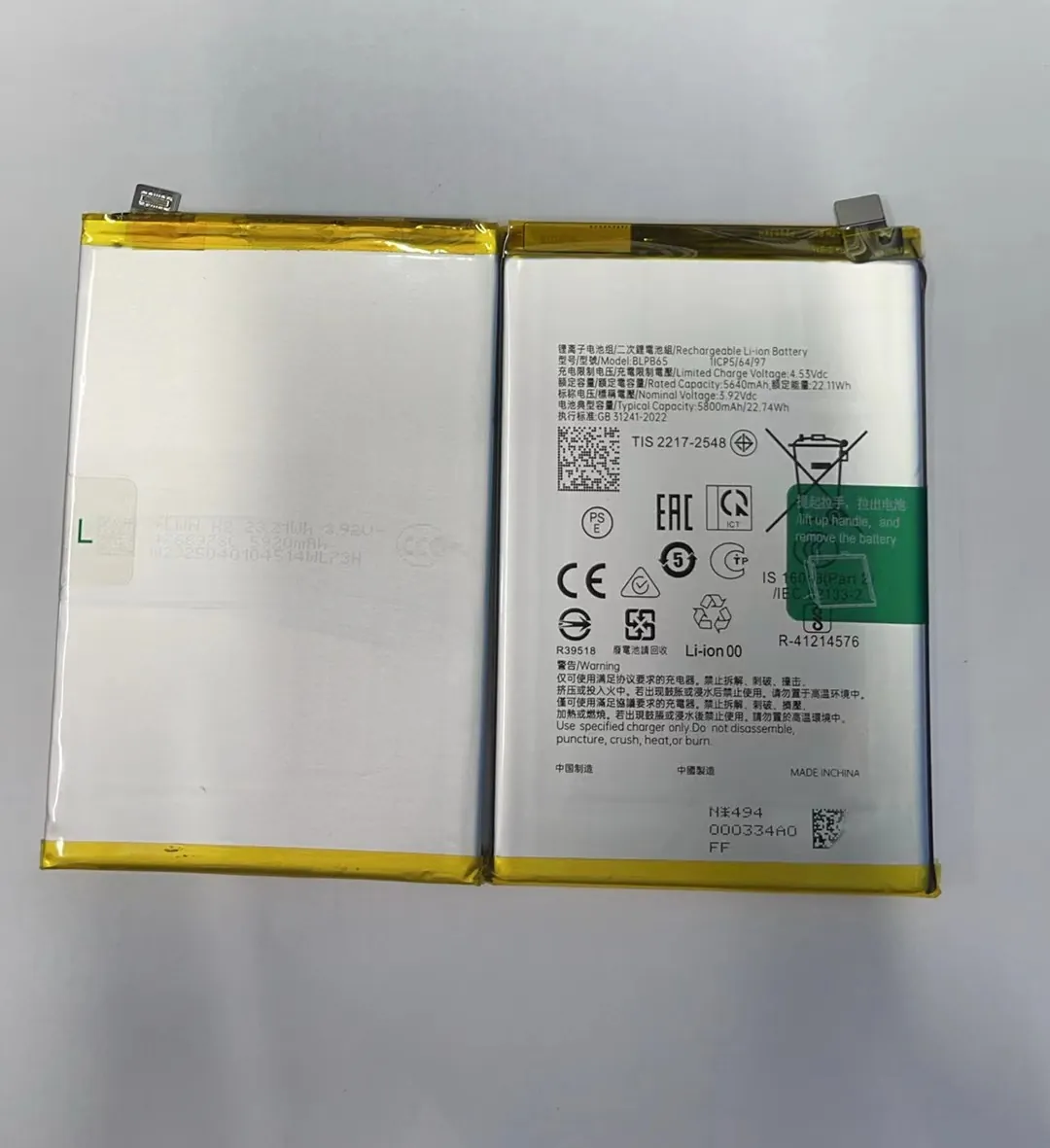
When selecting a battery seller, I walk through these steps:
Clear listings with part numbers
Look for listings that match your original battery's printed part number. If the listing only says “fits T‑Mobile”, skip it.
Reviews and reputation
Read what others say. Did the battery last? Did it fit? Reviews are your shortcut to avoid poor quality.
Warranty and return policy
Good sellers will let you return or exchange if the battery doesn’t work or fit. A 30‑day return policy is a good sign.
OEM vs Generic
OEM means original manufacturer. Generic is third-party. Generics are fine if they’re well-reviewed and tested, but avoid “no name” ultra-cheap ones.
Ask questions
Message the seller to ask if the battery matches your phone model. Reliable sellers will answer clearly and confidently.
Seller Quality Table
| Criteria | Sign of Trust |
|---|---|
| Clear part numbers listed | Shows it’s matched and researched |
| Good user reviews | Confirms product quality and performance |
| Return/warranty available | Gives you backup if it doesn’t work |
| Responsive customer support | Indicates they’re legit and service-oriented |
| Balanced pricing | Not suspiciously cheap, not overpriced |
Conclusion
Replacing a T‑Mobile flip phone battery is easy if you follow the right steps: check model numbers, confirm compatibility, and buy from sellers who offer transparency and guarantees. Doing it right means better battery life, safer performance and no frustrations.
